Introduction Last updated:2026-06-12
This documentation offers a comprehensive overview of KPRIMEPAY for developers. Designed to support businesses across various industries, this evolving Payment Service Provider simplifies the integration of card and mobile money payment solutions into websites and applications through our API endpoint.
NOTE: Only merchants with verified accounts are authorized to send requests to the PSP Endpoint using their Secret Key.
Helpful Links:
- Merchants Dashboard :
https://merchants.kprimepay.com/login
- Method : PWR (Payment With Redirection)
Integration
It is imperative to accurately provide the values of each parameter in accordance with the information made available to you. Strict adherence to these instructions ensures a smooth and functional integration.
PayIn
Welcome to our Payin API. A payin is a payment you receive from your client, by a link your or push ussd. Before initiating a Payin, follow a documentation setp by step
Checkout
The checkout or Paylink, is a link you marchant you send to your client, for make a payment
Endpoint : https://api.kprimepay.com/v1/checkout
Header parameters
| Key | Value | Description | Priority |
|---|---|---|---|
| auth_token | Secret Key | This must be your merchant Secret Key | Required |
| Content-Type | application/json | application/json | Required |
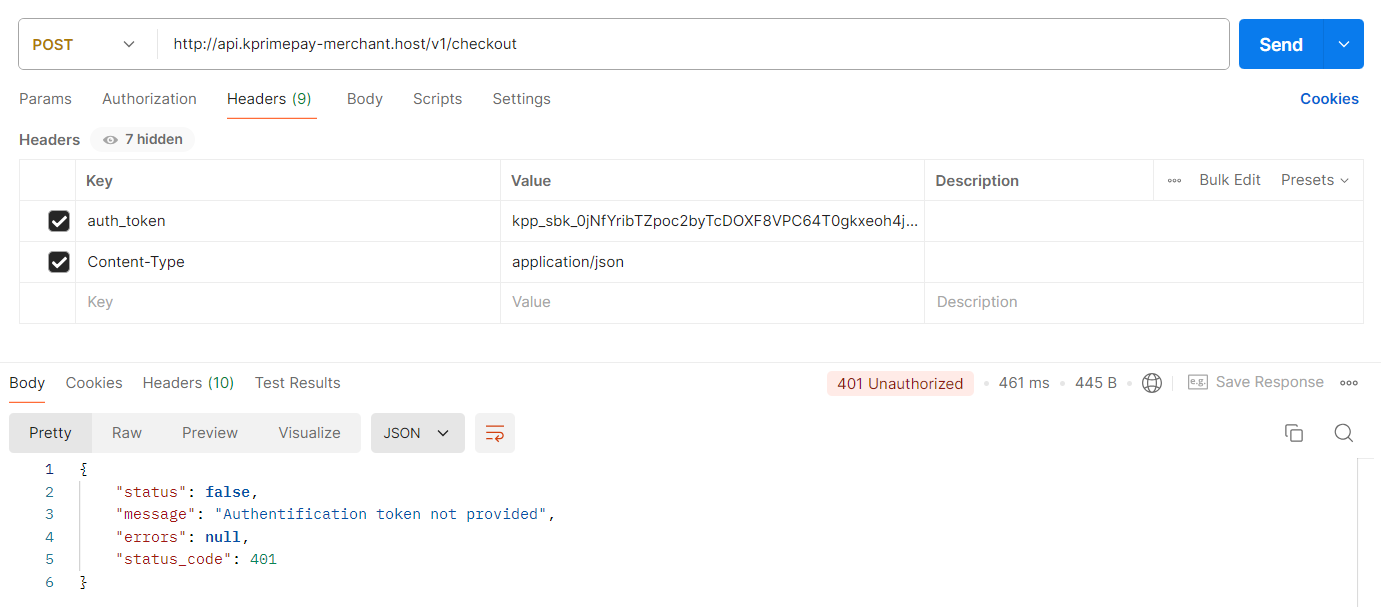
It will return false if your token is invalid or missing from the header :
Params
| Key | Value | Description | Priority |
|---|---|---|---|
| merchant_number | Your merchant number | The unique identifier assigned to your merchant account | Required |
| transaction_id | Your unique transaction ID | The unique identifier for the transaction session To avoid failures, it is recommended that the transaction ID does not contain special characters (#, /, $, _, &). | Required |
| currency | Your currency | Supported currencies: XOF, USD, EUR | Required |
| amount | The amount to be charged for the transaction | The total payment amount for this order | Required |
| with_fees | Defaults to 0 | An integer: 0 or 1. Use 1 if the customer should pay transaction fees | Required |
| mode | Integer | Specifies the operation mode. Supported values: 1, 2 | Required |
| description | Checkout description | A short description of the checkout purpose | Optional |
| return_url | Your return URL | The URL to which the client will be redirected after payment | Required |
| locale | Your locale | Supported locales: en, fr | Required |
| custom_meta_data | Array of additional information | An array of additional information you want to include in the push | Optional |
Note :For testing mode use this credentials Card
Card Number : 4242 4242 4242 4242
Card Expiry Date : 01/26
Card CVC : 123
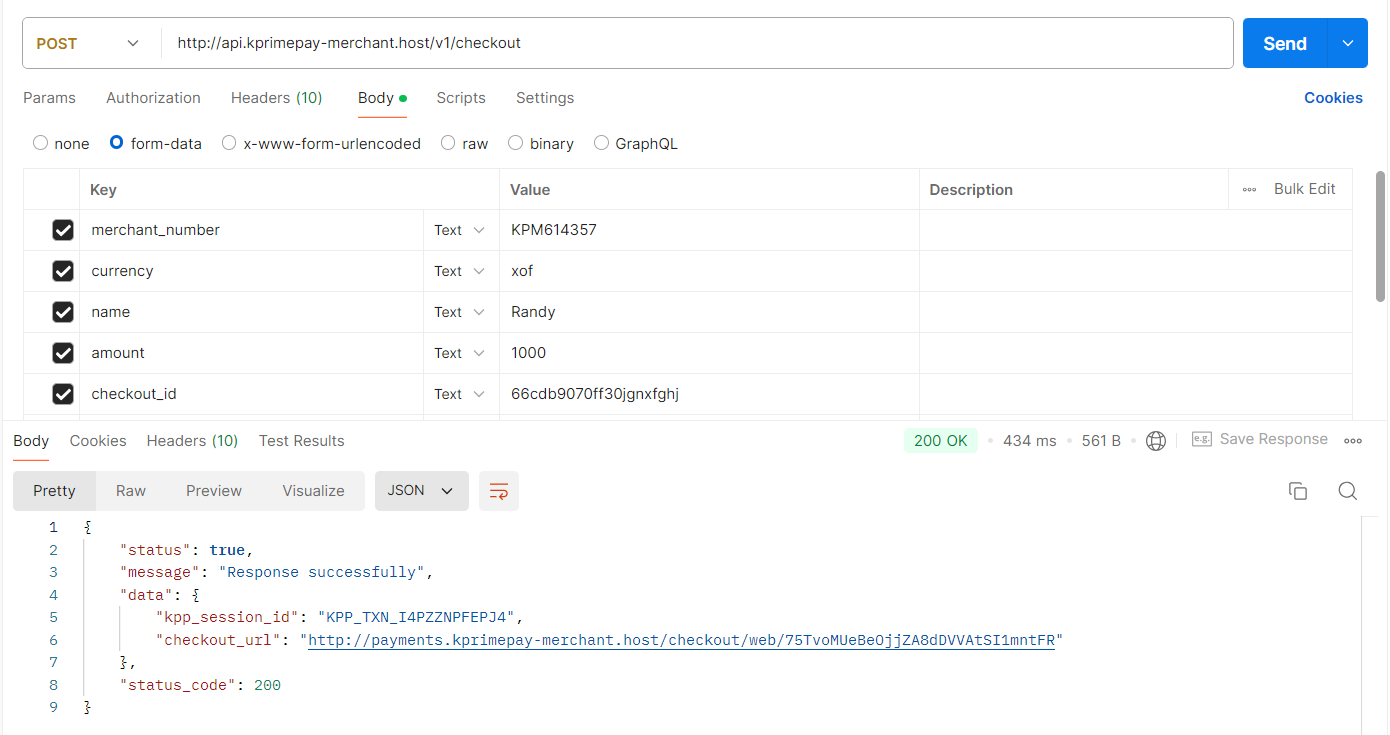
When all parameters are set , it will return a response like this :
| Key | Value | Description |
|---|---|---|
| kpp_session_id | KPRIMEPAY session id | This is a transaction id to confirm your request |
| checkout_url | KPRIMEPAY checkout url | This is a url which will redirect user to process the payment |
| success | true | Your request was successfully |
Otherwise it will return UNPROCESSABLE HTTP with value or key missing in your request
Payment Completed : After the payment has completed , the user will return on KPRIMEPAY payment confirmation page and then will redirect to Merchant Returl Url (Your return Url passed the request previously) with status and kpp_session_id passed as parameters in the return url.
Direct-push
The direct push, is a notification you marchant you send to your client, who he is receive on his phone to make a payment
Endpoint : https://api.kprimepay.com/v1/mobilemoney/push-ussd
Header parameters
| Key | Value | Description | Priority |
|---|---|---|---|
| auth_token | Secret Key | This must be your merchant Secret Key | Required |
| Content-Type | application/json | application/json | Required |
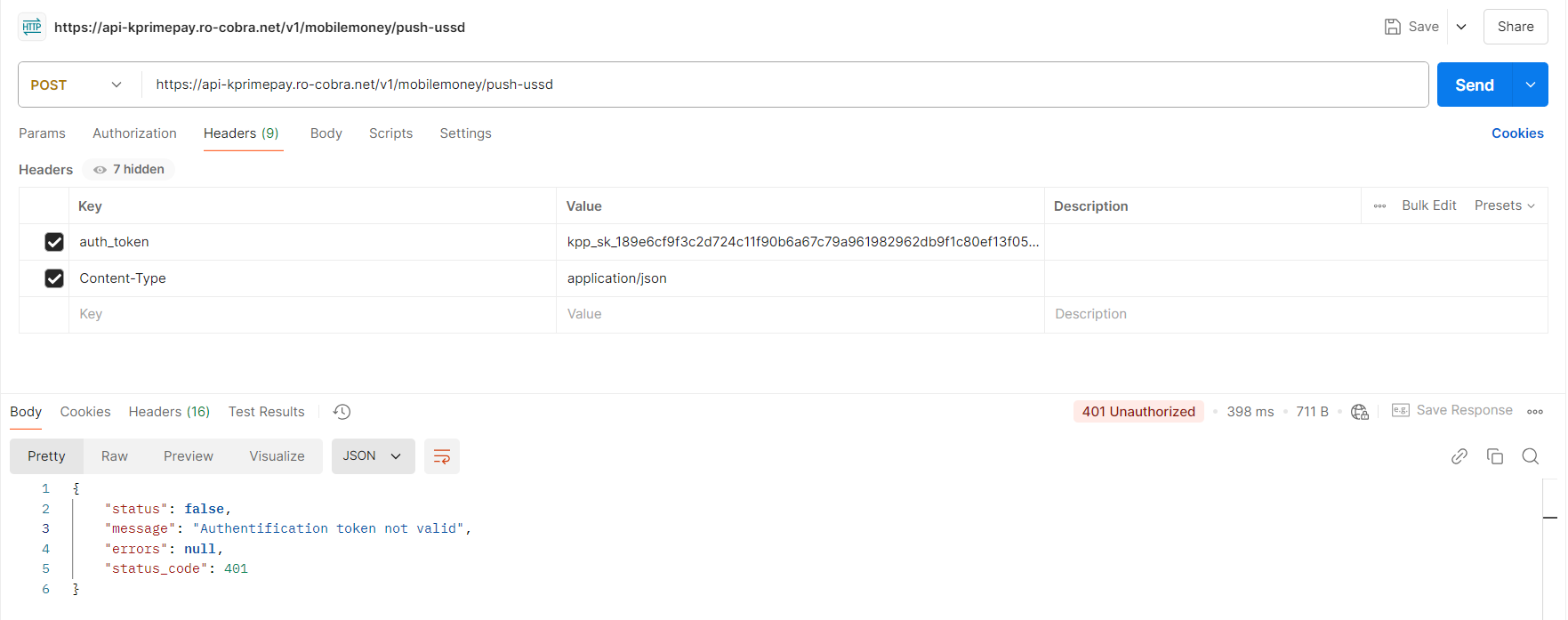
It will return false if your token is invalid or missing from the header :
Params
| Key | Value | Description | Priority |
|---|---|---|---|
| merchant_number | Your merchant number | The unique identifier assigned to your merchant account | Required |
| transaction_id | Your transaction identifier | A unique string to identify the transaction To avoid failures, it is recommended that the transaction ID does not contain special characters (#, /, $, _, &,...). | Required |
| customer_name | Customer name | A customer name | Required |
| customer_email | Customer email | A customer email | Required |
| amount | The amount for the checkout session | An integer representing the transaction amount | Required |
| with_fees | Defaults to 0 | An integer: 0 or 1. Use 1 if the customer should pay transaction fees | Nullable |
| gateway | MIXX-YAS-TG, MOOV-MONEY-TG | The payment gateway to use (e.g., MIXX-YAS-TG, MOOV-MONEY-TG) | Required |
| phone_number | A valid phone number from Togo | Must be a valid Togo phone number in the correct format | Required |
| description | The push description | A brief description of the push operation | Required |
| custom_meta_data | Your custom meta data | An array of additional information you want to include in the push | Nullable |
If the payment is successful after confirmation on your mobile, the server will return to your callback url if provided on your business account, the transaction details and status according to the process
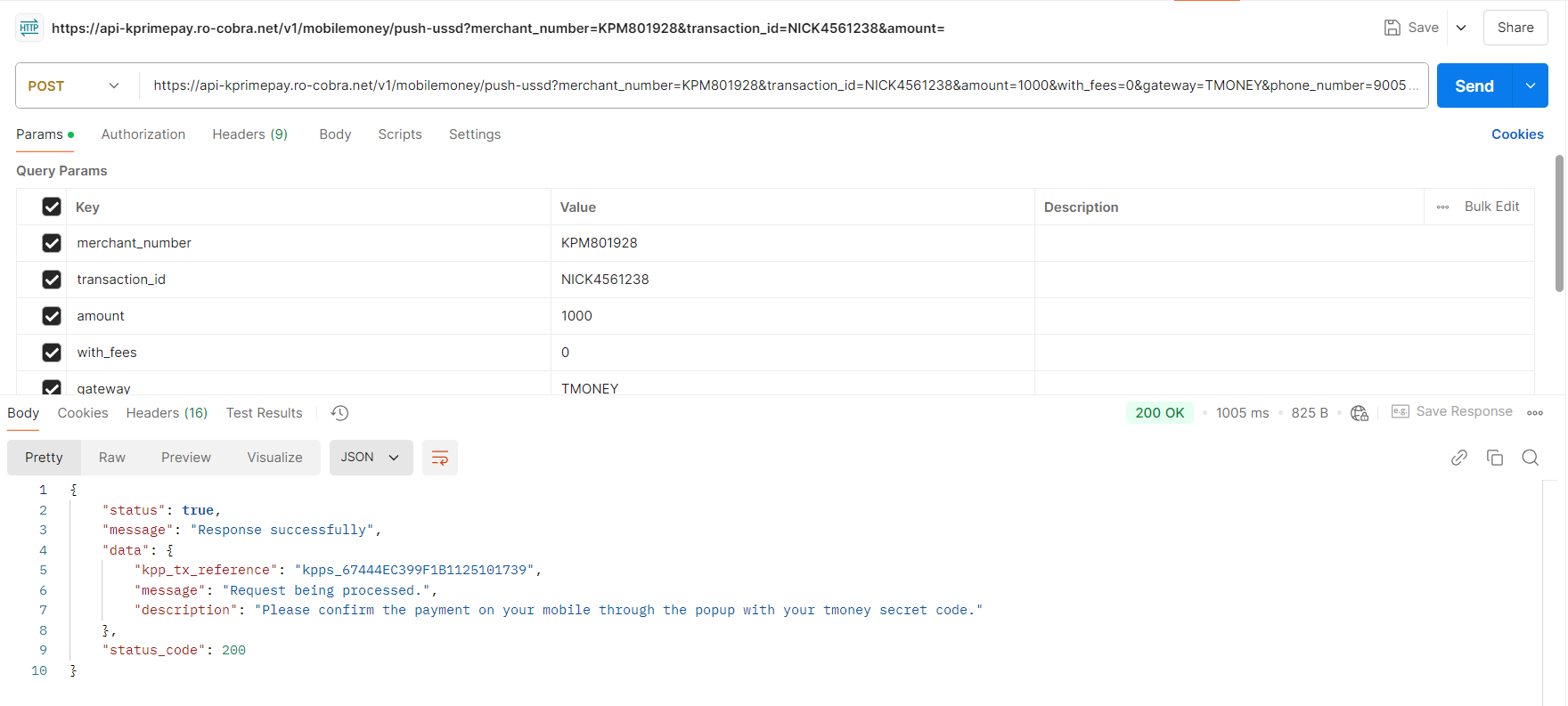
| Key | Value | Description |
|---|---|---|
| kpp_tx_reference | The transaction reference | This is a transaction id to confirm your request |
| message | The push ussd message | This is a message to confirm your request |
| description | The description of the push | The description of the push |
Payment-confirmation
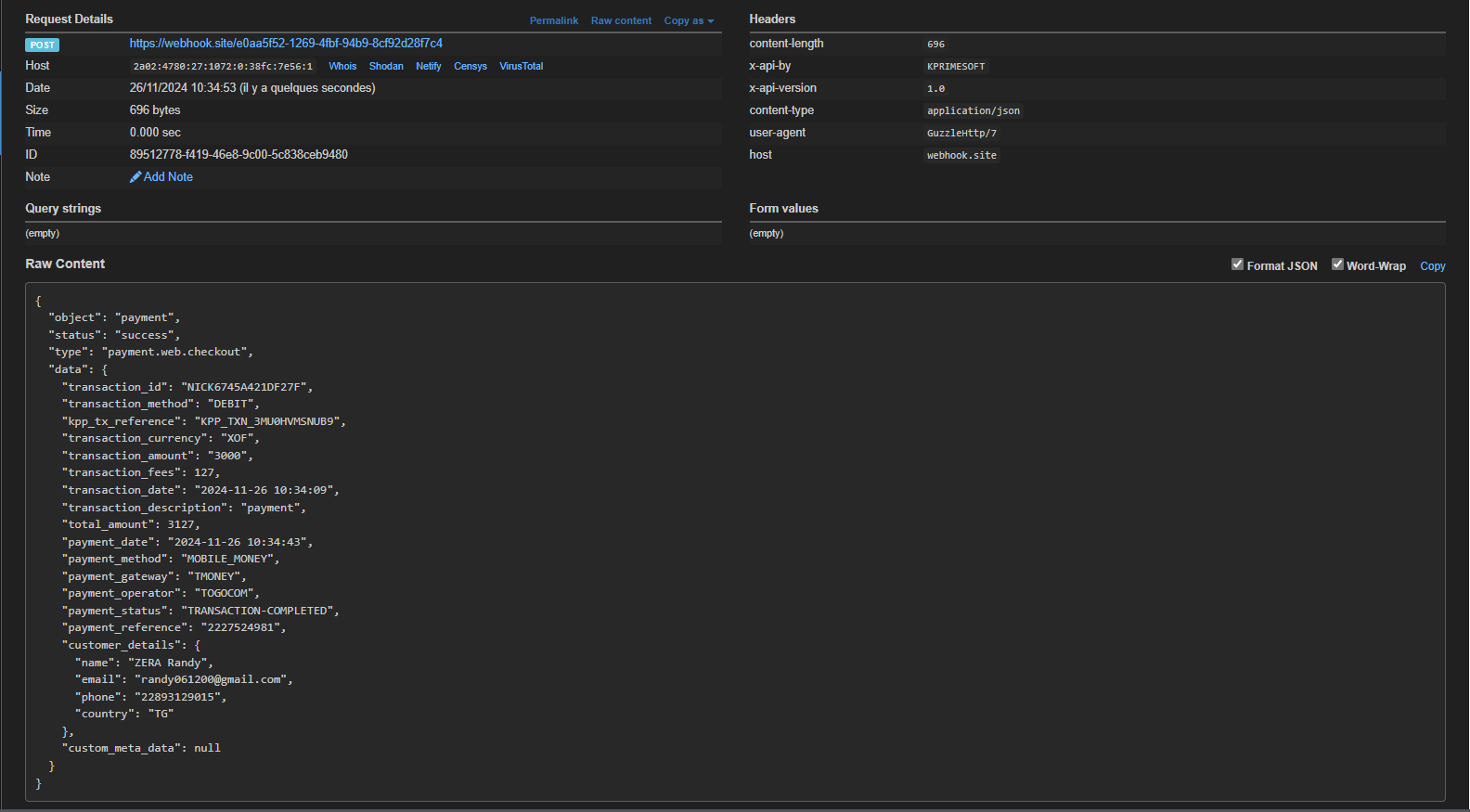
If the payment is successful after confirmation on your mobile, the server will return to your callback url if provided on your business account, the transaction details and status according to the process
Params
| Key | Description | ||||||||
|---|---|---|---|---|---|---|---|---|---|
| object | Specifies the type of resource being returned, such as "transaction" or "payment". | ||||||||
| status | Indicates the current status of the transaction (e.g., pending, completed, or failed). | ||||||||
| type | Defines the type of transaction, such as "debit" or "credit". | ||||||||
| transaction_id | A unique identifier assigned to a specific transaction. | ||||||||
| transaction_method | The payment method used for the transaction, such as "card" or "mobile money". | ||||||||
| kpp_tx_reference | A reference code generated by KPRIMEPAY for tracking the transaction. | ||||||||
| transaction_currency | The currency in which the transaction is conducted, represented as an ISO code (e.g., USD, EUR). | ||||||||
| transaction_amount | The total amount involved in the transaction, expressed as an integer in the smallest currency unit (e.g., cents). | ||||||||
| transaction_fees | The fees charged for processing the transaction. | ||||||||
| transaction_date | The date and time when the transaction was initiated. | ||||||||
| transaction_description | A brief description or note associated with the transaction. | ||||||||
| total_amount | The total amount paid, including fees, in the smallest currency unit. | ||||||||
| payment_date | The date and time when the payment was confirmed. | ||||||||
| payment_method | The method used to complete the payment, such as "card", "bank transfer", or "mobile money". | ||||||||
| payment_gateway | The payment gateway used to process the payment. | ||||||||
| payment_operator | The financial operator handling the payment process. | ||||||||
| payment_status | The current status of the payment, such as "successful", "failed", or "pending". | ||||||||
| payment_reference | A unique reference code for tracking the payment. | ||||||||
| customer_details |
Information about the customer making the payment :
|
||||||||
| custom_meta_data | Additional custom data associated with the transaction. |
Example :
Checkout-transaction-status
Endpoint : https://api.kprimepay.com/v1/transactions/debit-status
Header parameters
| Key | Value | Description | Priority |
|---|---|---|---|
| auth_token | Secret Key | This must be your merchant Secret Key | Required |
| Content-Type | application/json | application/json | Required |
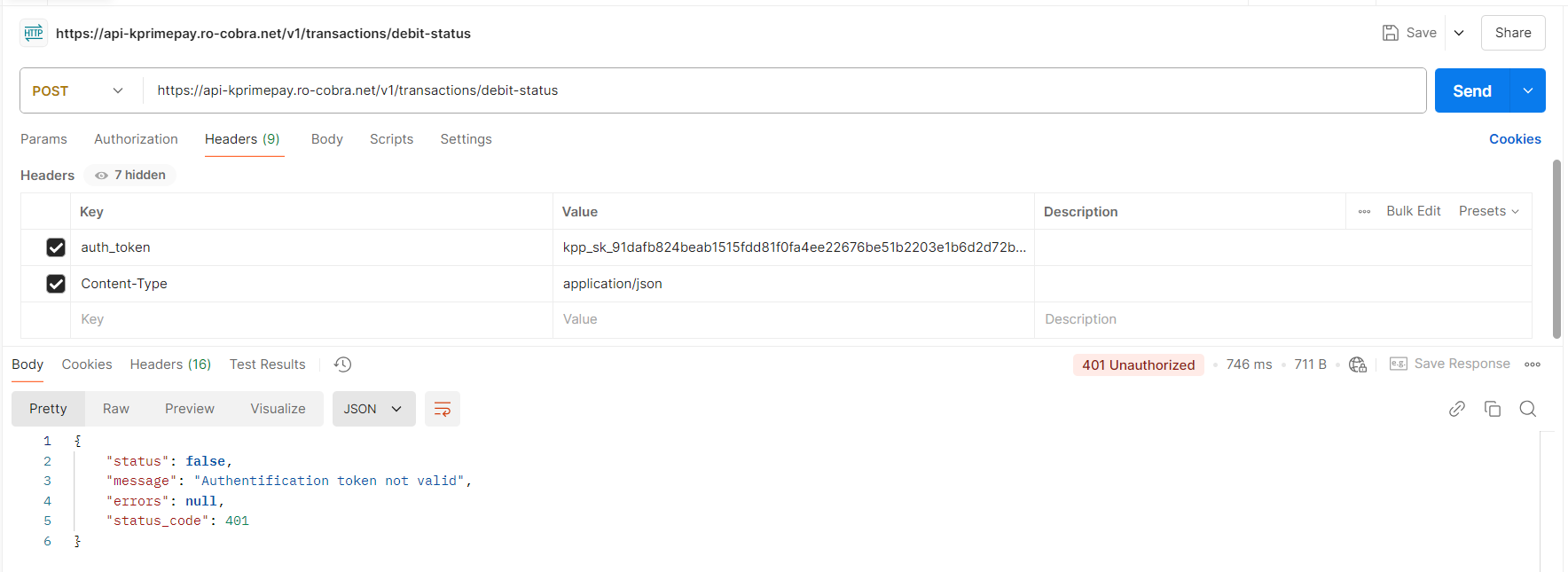
It will return false if your token is invalid or missing from the header :
Params
| Key | Value | Description | Priority |
|---|---|---|---|
| merchant_number | Your merchant number | The unique identifier assigned to your merchant account | Required |
| transaction_id | Your PayIn transaction identifier | A unique string to identify the transaction To avoid failures, it is recommended that the transaction ID does not contain special characters (#, /, $, _, &,...). | Required |
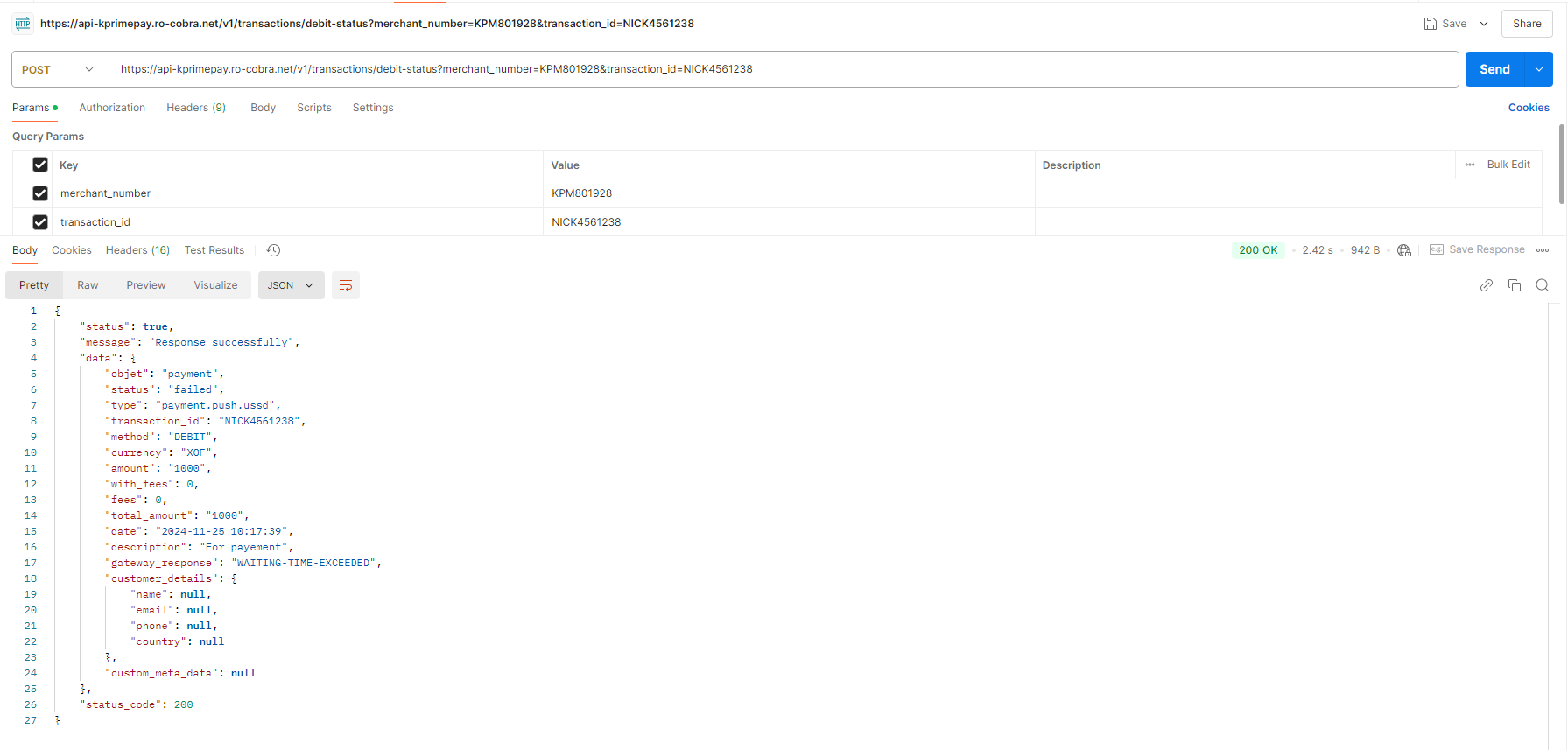
If all parameters are well set and any error provided: the server will return you the transaction status will all details *
Check-debit-balance
Endpoint : https://api.kprimepay.com/v1/merchant/account/debit-balance
Header parameters
| Key | Value | Description | Priority |
|---|---|---|---|
| auth_token | Secret Key | This must be your merchant Secret Key | Required |
| Content-Type | application/json | application/json | Required |
It will return false if your token is invalid or missing from the header :
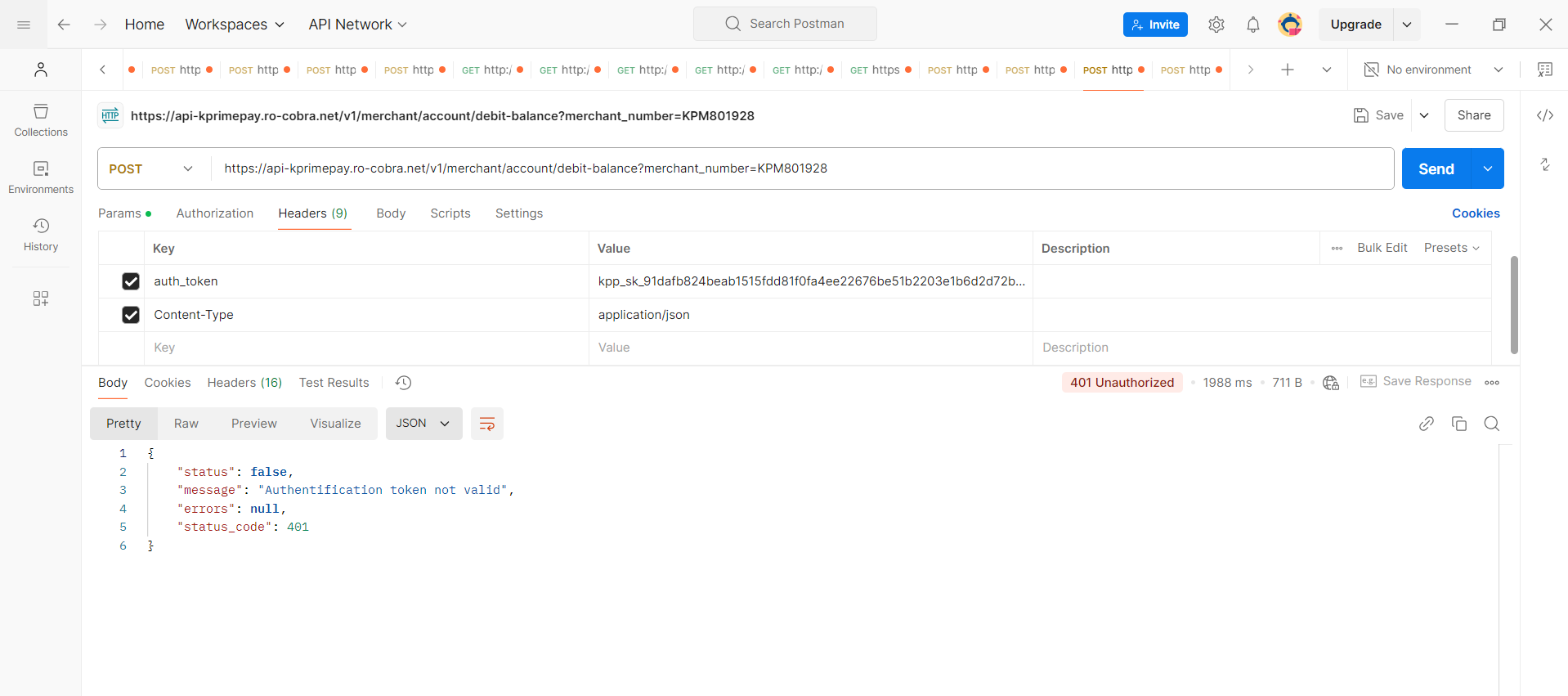
Params
| Key | Value | Description | Priority |
|---|---|---|---|
| merchant_number | Your merchant number | The unique identifier assigned to your merchant account | Required |
If all parameters are well set and any error provided: the server will return json response of the debit account informations*
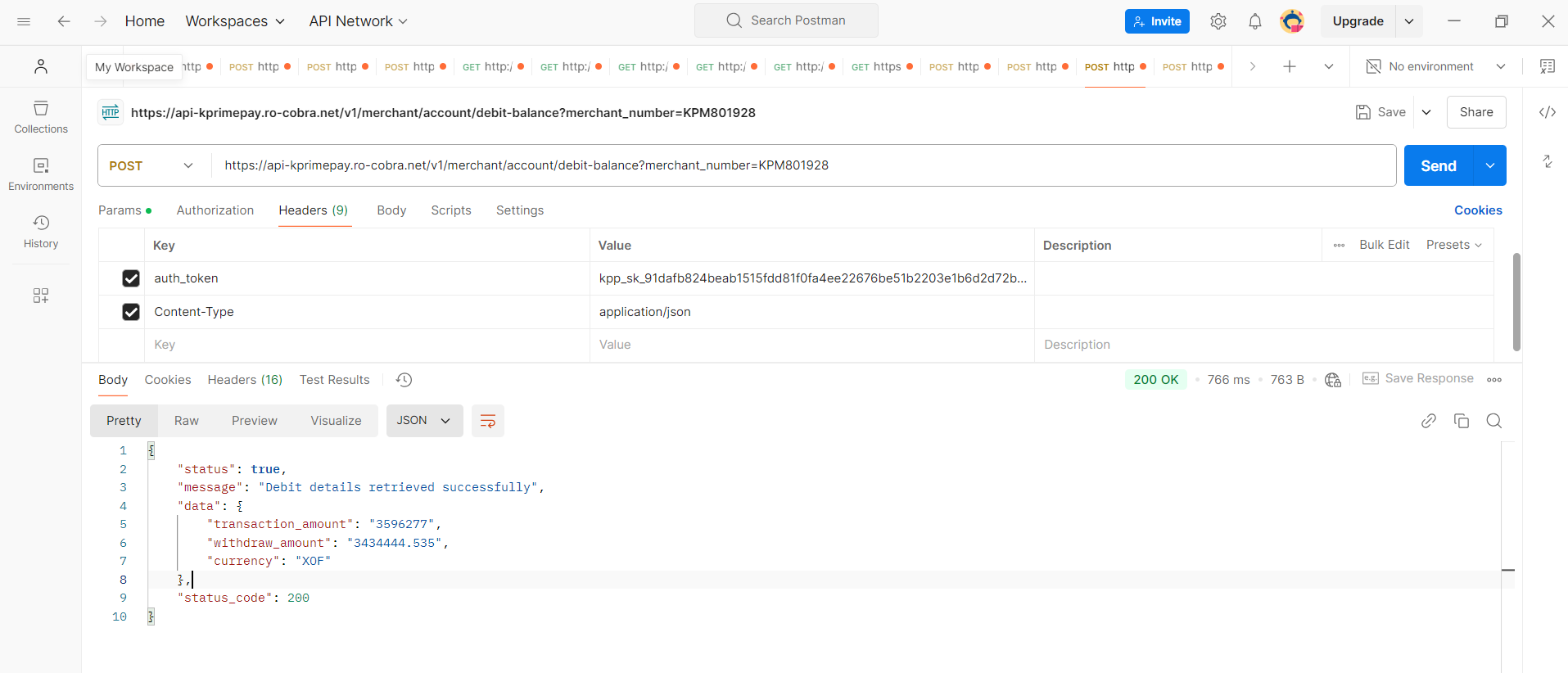
PayOut
Welcome to our Payout API. Before initiating a money transfer through our system, you must first complete this authorization step.
IP Address Config
This procedure is essential, as it allows you to grant permission for your machine to process payouts using our API. This protocol has been implemented to provide you with full control over the devices authorized to execute payouts from your merchant account.

NB: You can authorize only three IP addresses to process a payout via the API from your merchant account. Since each IP address is unique, it cannot be registered more than once..
Make-transfer
Endpoint : https://api.kprimepay.com/v1/mobilemoney/transfert/simple-deposit
Header parameters
| Key | Value | Description | Priority |
|---|---|---|---|
| auth_token | Secret Key | This must be your merchant Secret Key | Required |
| Content-Type | application/json | application/json | Required |
It will return false if your token is invalid or missing from the header :
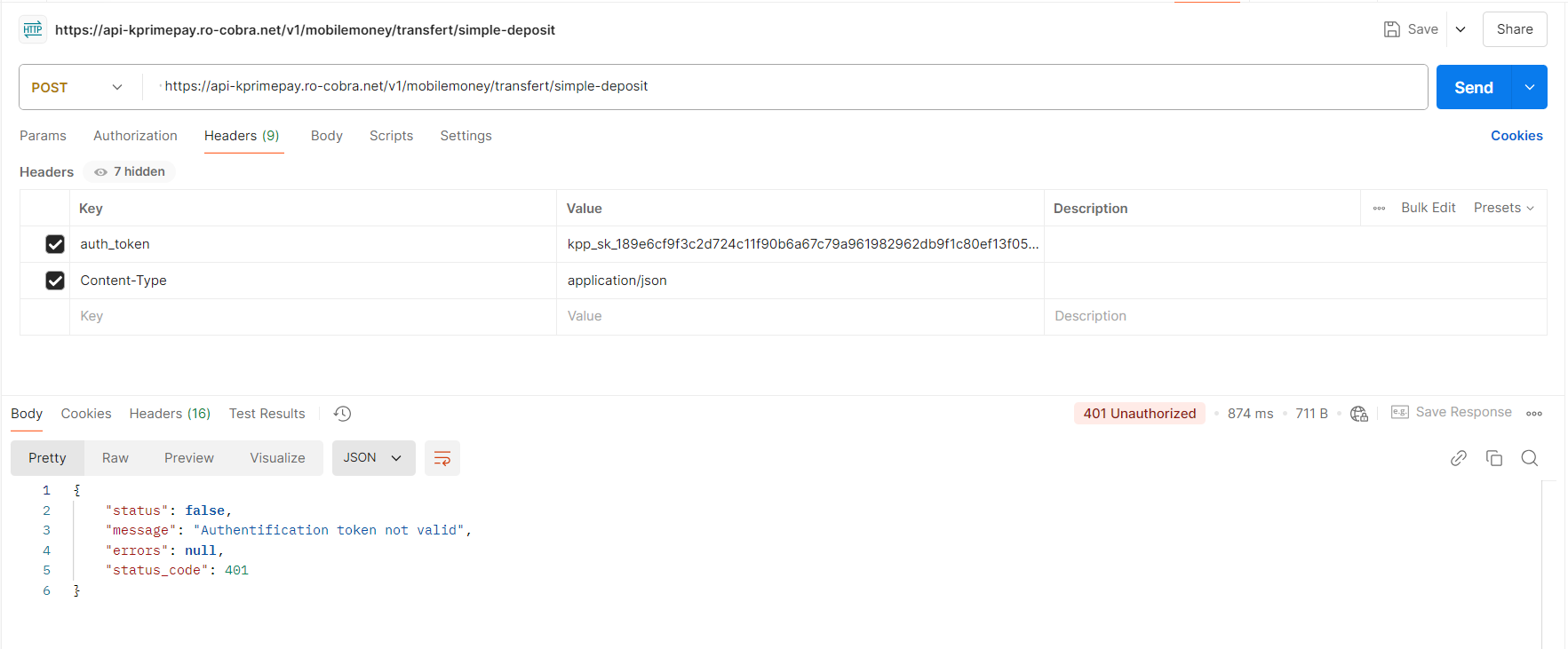
Params
| Key | Value | Description | Priority |
|---|---|---|---|
| merchant_number | Your merchant number | The unique identifier assigned to your merchant account | Required |
| transaction_id | Your transaction identifier | A unique string to identify the transaction To avoid failures, it is recommended that the transaction ID does not contain special characters (#, /, $, _, &). | Required |
| receiver_first_name | Receiver’s first name | The first name of the transaction’s receiver (string) | Required |
| receiver_last_name | Receiver’s last name | The last name of the transaction’s receiver (string) | Required |
| receiver_email | Receiver’s email address | A valid email address of the receiver (string) | Required |
| amount | Transfer amount | The total amount to be transferred (integer) | Required |
| with_fees | Defaults to 0 | An integer: 0 or 1. Use 1 if the customer should pay transaction fees | Nullable |
| country_code | Country code | The country code for the transaction (e.g., TG for Togo) | Required |
| gateway | MIXX-YAS-TG, MOOV-MONEY-TG | The payment gateway to use (e.g., MIXX-YAS-TG, MOOV-MONEY-TG) | Required |
| phone_number | Receiver’s phone number | A valid Togo phone number of the receiver | Required |
| description | Transfer description | A brief description of the transfer | Required |
| save_contact | Contact save option | An integer: 0 (no creation) or 1 (create contact) | Required |
If all parameters are well set and any error provided: the server will return you the transaction status with all details *
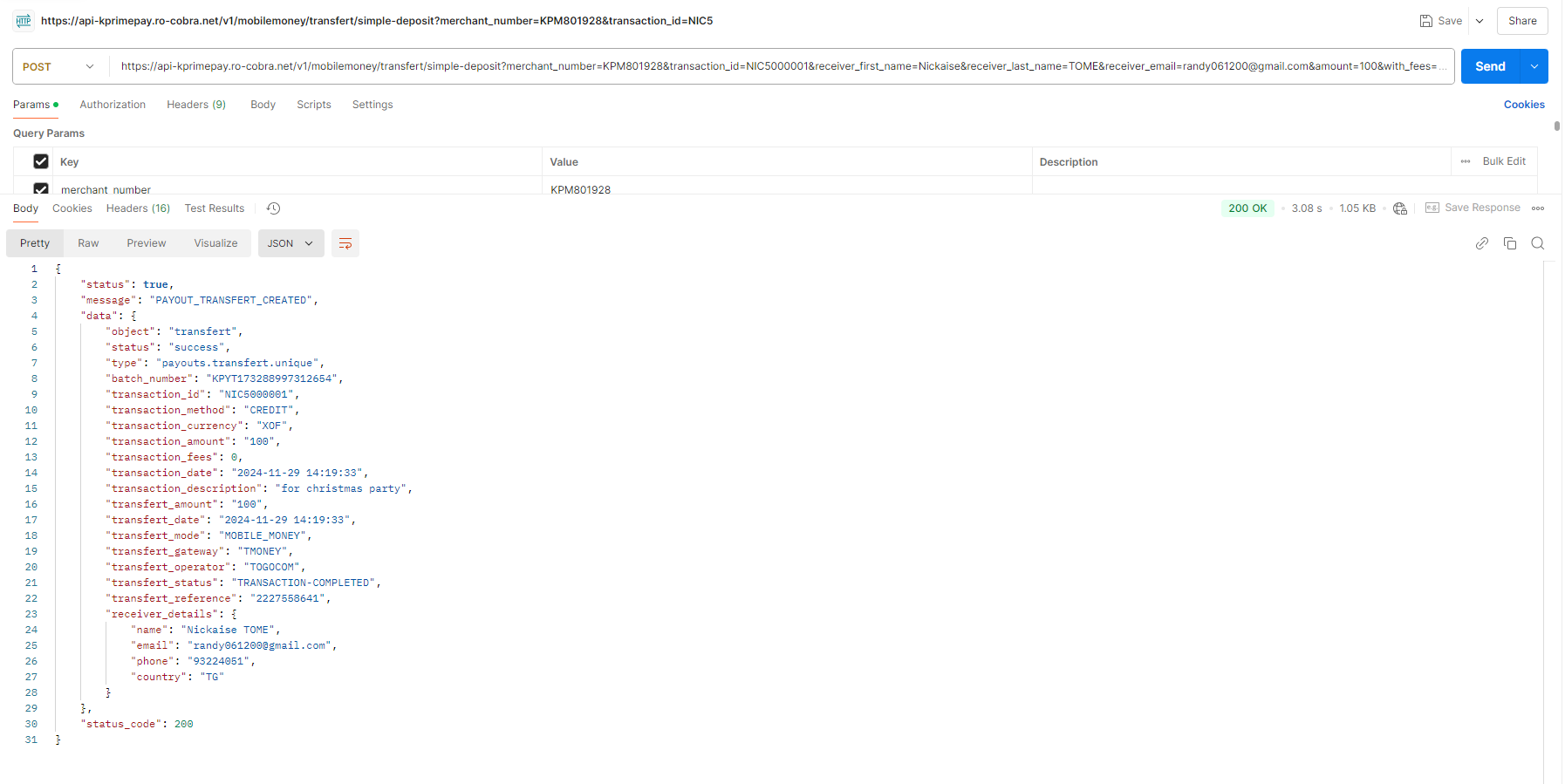
Checkout-transaction-status
Endpoint : https://api.kprimepay.com/v1/transactions/credit-status
Header parameters
| Key | Value | Description | Priority |
|---|---|---|---|
| auth_token | Secret Key | This must be your merchant Secret Key | Required |
| Content-Type | application/json | application/json | Required |
It will return false if your token is invalid or missing from the header :
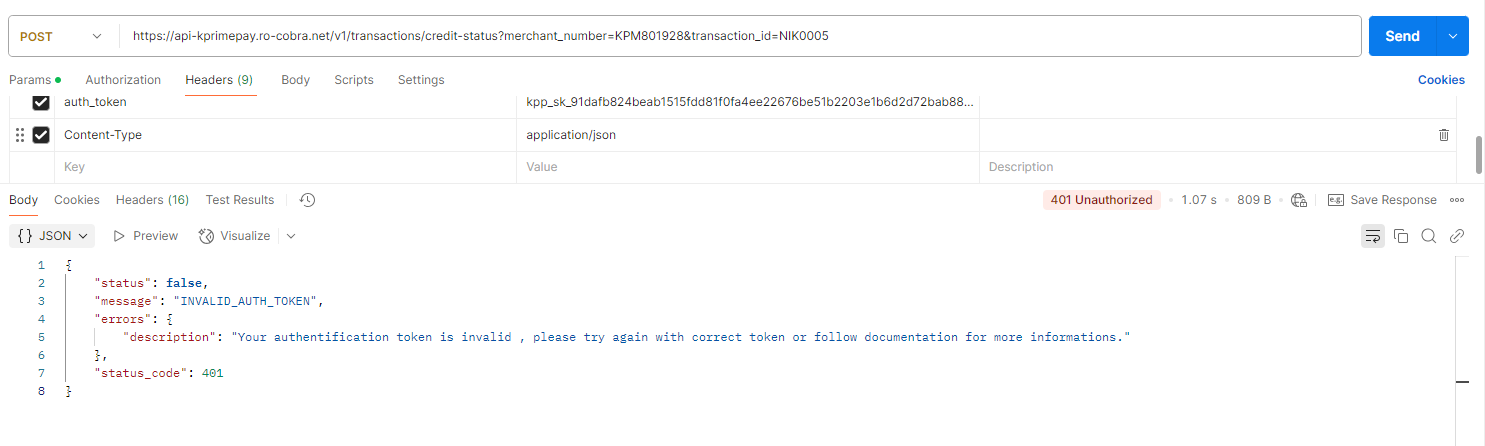
Params
| Key | Value | Description | Priority |
|---|---|---|---|
| merchant_number | Your merchant number | The unique identifier assigned to your merchant account | Required |
| transaction_id | Your Payout transaction identifier | A unique string to identify the transaction To avoid failures, it is recommended that the transaction ID does not contain special characters (#, /, $, _, &). | Required |
If all parameters are well set and any error provided: the server will return you the transaction status will all details *

Check-credit-balance
Endpoint : https://api.kprimepay.com/v1/merchant/account/credit-balance
Header parameters
| Key | Value | Description | Priority |
|---|---|---|---|
| auth_token | Secret Key | This must be your merchant Secret Key | Required |
| Content-Type | application/json | application/json | Required |
It will return false if your token is invalid or missing from the header :
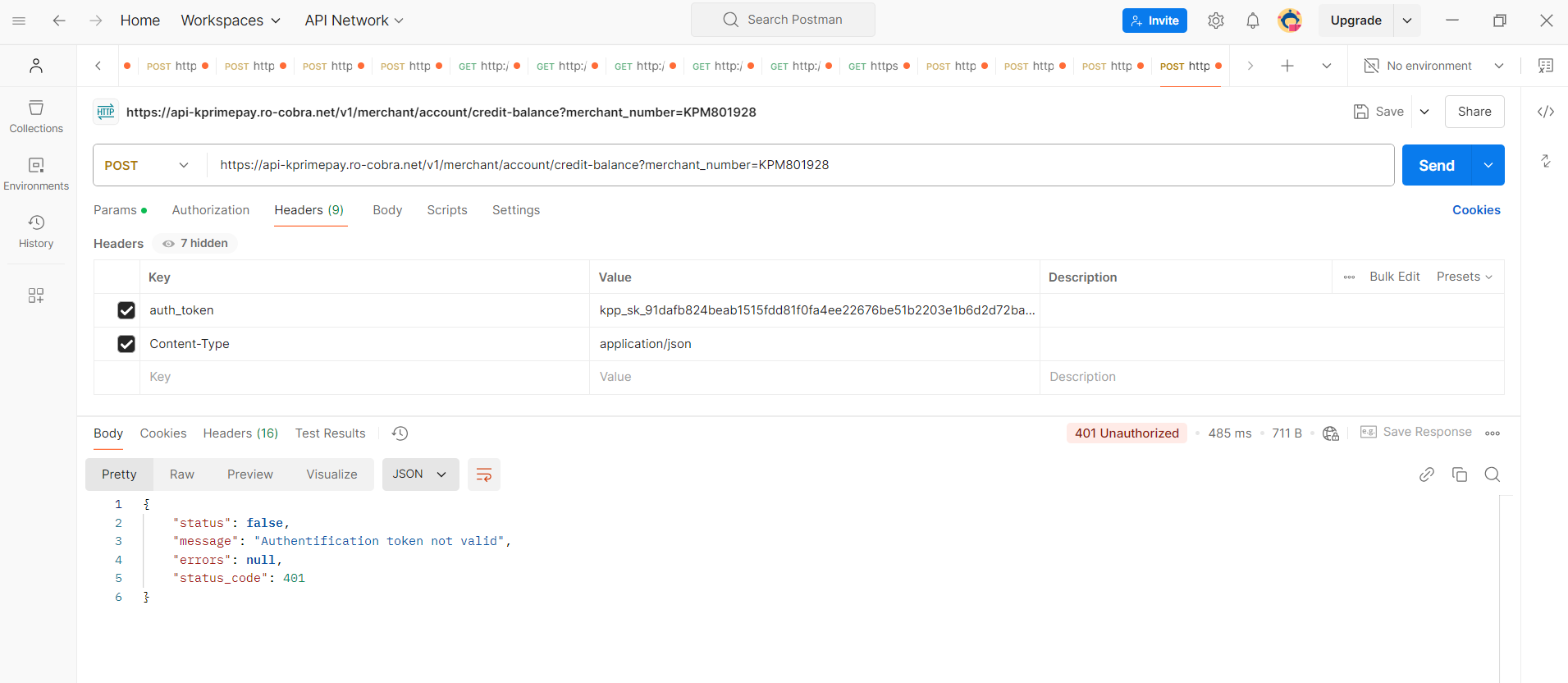
Params
| Key | Value | Description | Priority |
|---|---|---|---|
| merchant_number | Your merchant number | The unique identifier assigned to your merchant account | Required |
If all parameters are well set and any error provided: the server will return json response of the credit account informations
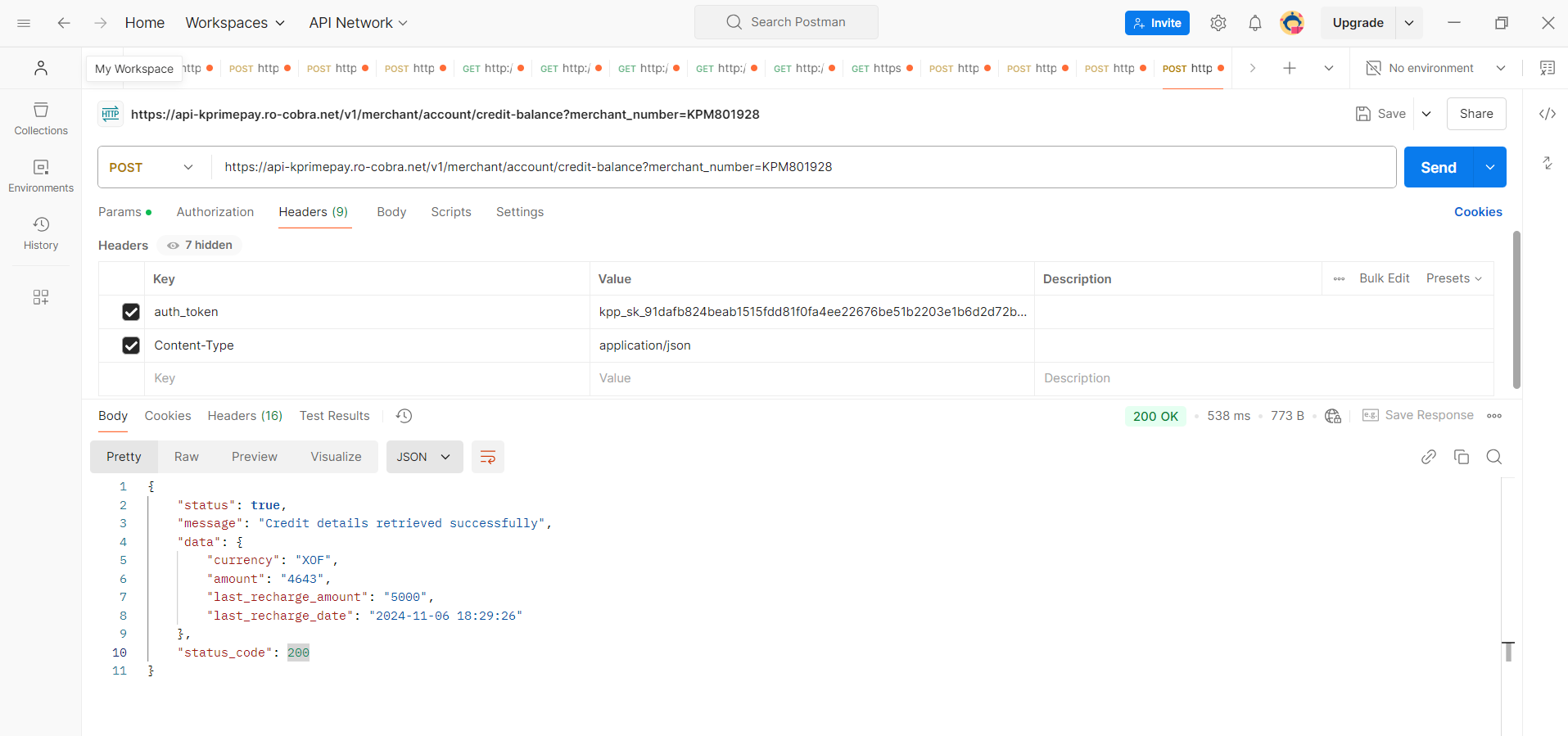
Create-contact
Endpoint : https://api.kprimepay.com/v1/mobilemoney/payouts/create-contact
Header parameters
| Key | Value | Description | Priority |
|---|---|---|---|
| auth_token | Secret Key | This must be your merchant Secret Key | Required |
| Content-Type | application/json | application/json | Required |
It will return false if your token is invalid or missing from the header :
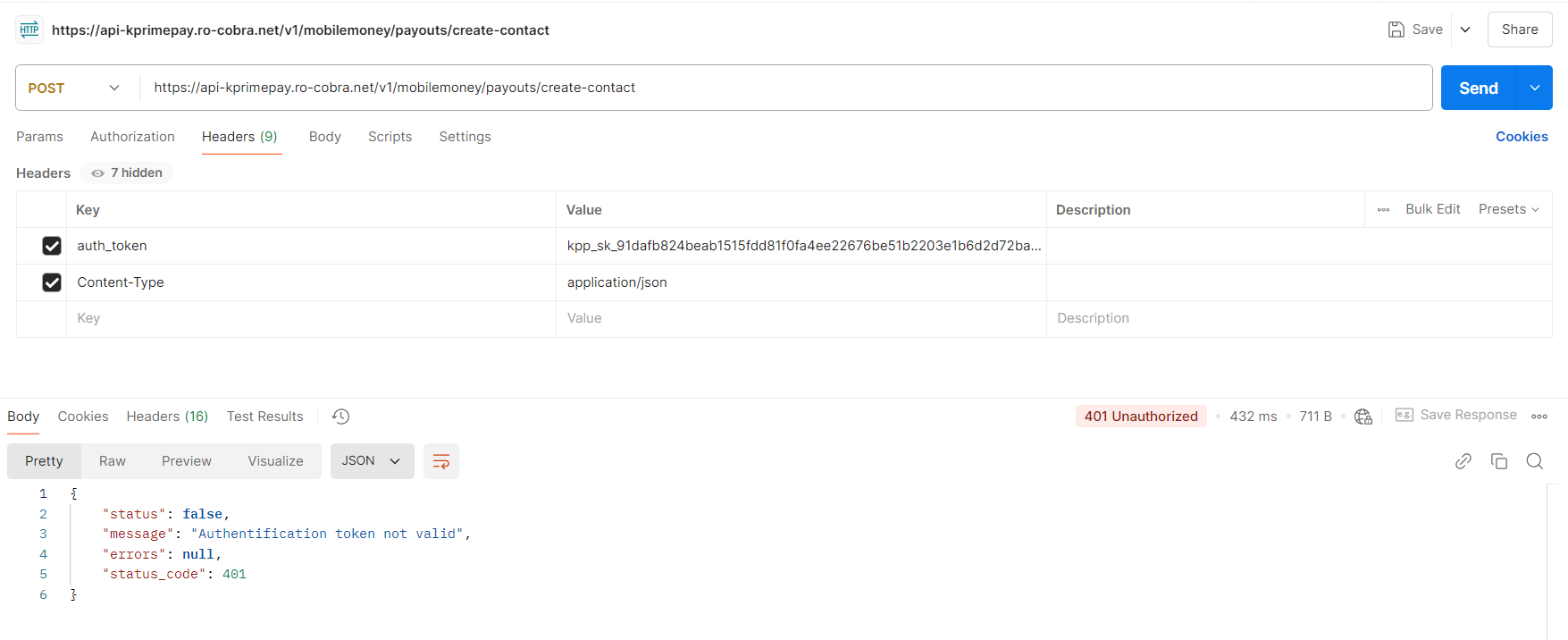
Params
| Key | Value | Description | Priority |
|---|---|---|---|
| merchant_number | Your merchant number | The unique identifier assigned to your merchant account | Required |
| first_name | Your payout contact first name | The first name of the contact who will receive the payout (string) | Required |
| last_name | Your payout contact last name | The last name of the contact who will receive the payout (string) | Required |
| Your payout contact email address | A unique and valid email address for the payout contact | Required | |
| country_code | TG | The country code of the payout contact, such as TG for Togo | Required |
| phone_number | Must be a correct phone number of Togo | The phone number of the payout contact, formatted correctly for Togo | Required |
| description | Your transfer description | A brief description of the payout transfer | Required |
| gateway | MIXX-YAS-TG, MOOV-MONEY-TG|FLOOZ | The payment gateway used for the payout. Currently, only MIXX-YAS-TG, MOOV-MONEY-TG is supported | Required |
If all parameters are well set and any error provided: the server will return you the contact details with success information *
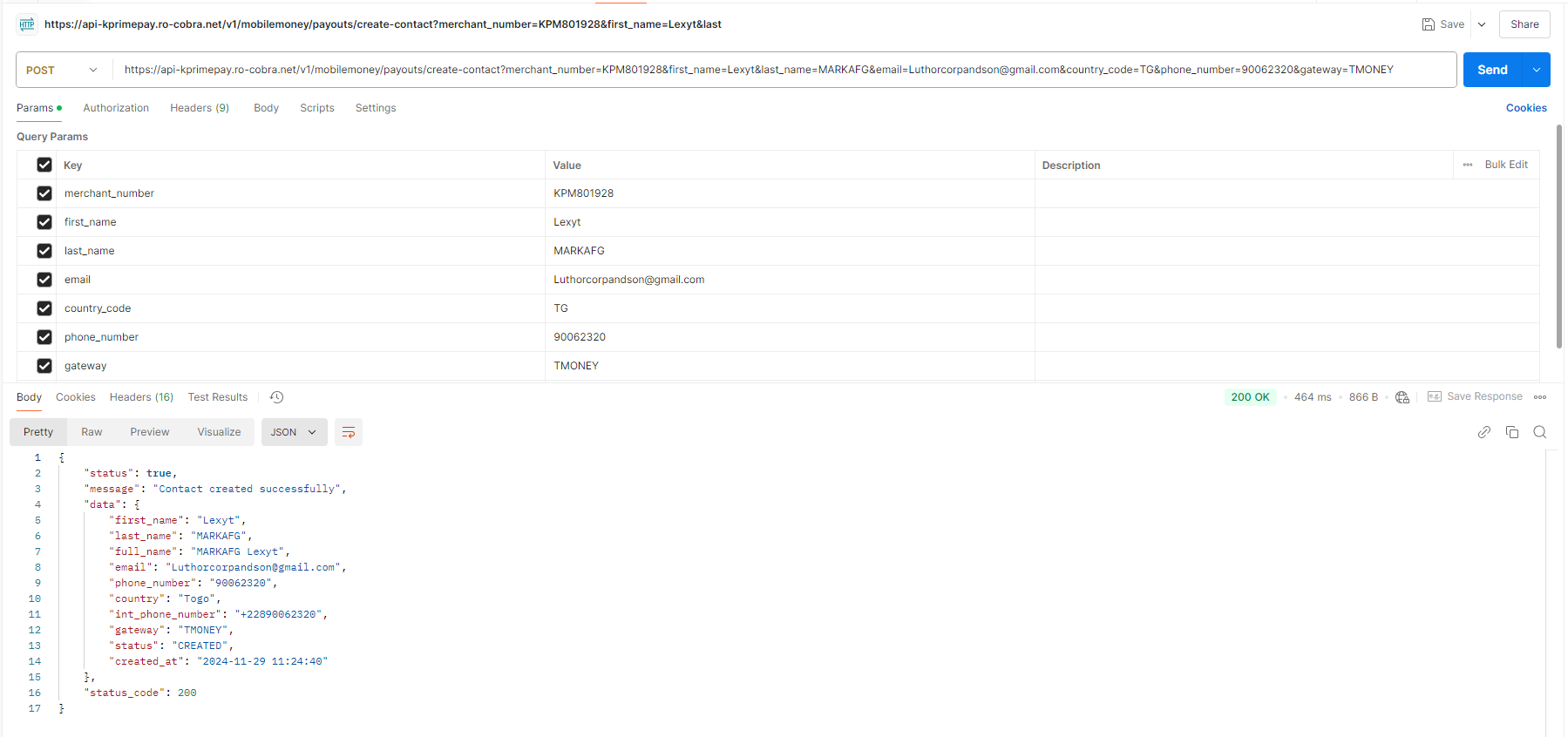
Gateways list
Endpoint : https://api.kprimepay.com/v1/gateways/list
Header parameters
| Key | Value | Description | Priority |
|---|---|---|---|
| auth_token | Secret Key | This must be your merchant Secret Key | Required |
| Content-Type | application/json | application/json | Required |
It will return false if your token is invalid or missing from the header :
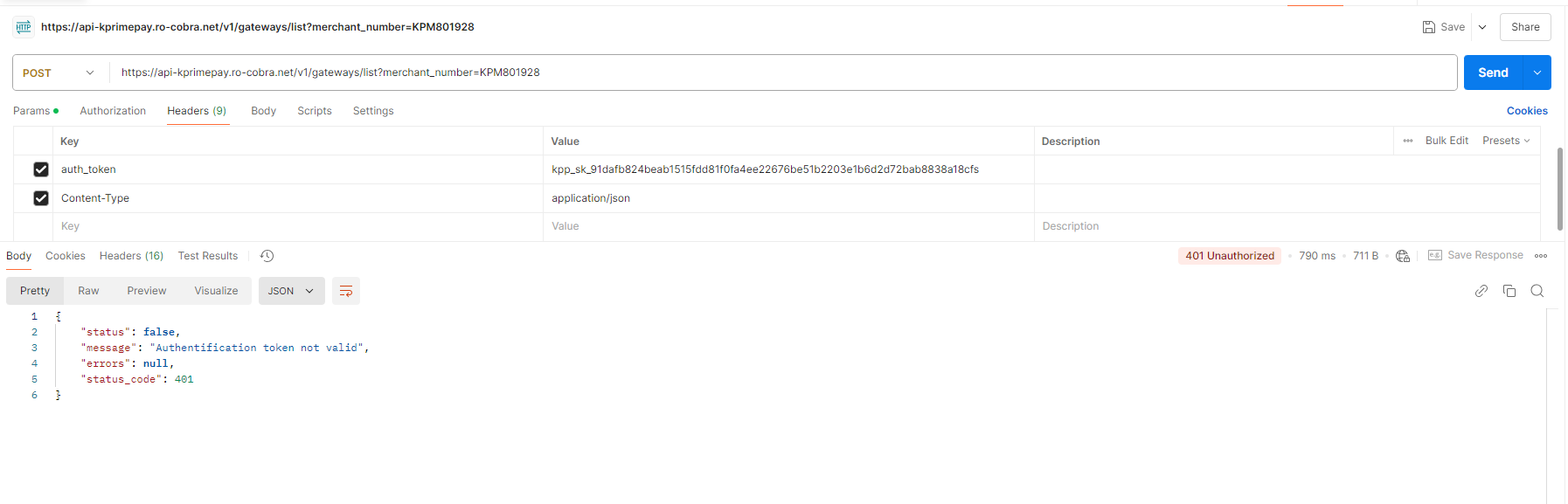
Params
| Key | Value | Description | Priority |
|---|---|---|---|
| merchant_number | Your merchant number | The unique identifier assigned to your merchant account | Required |
If all parameters are well set and any error provided: the server will return json response of all gateways *
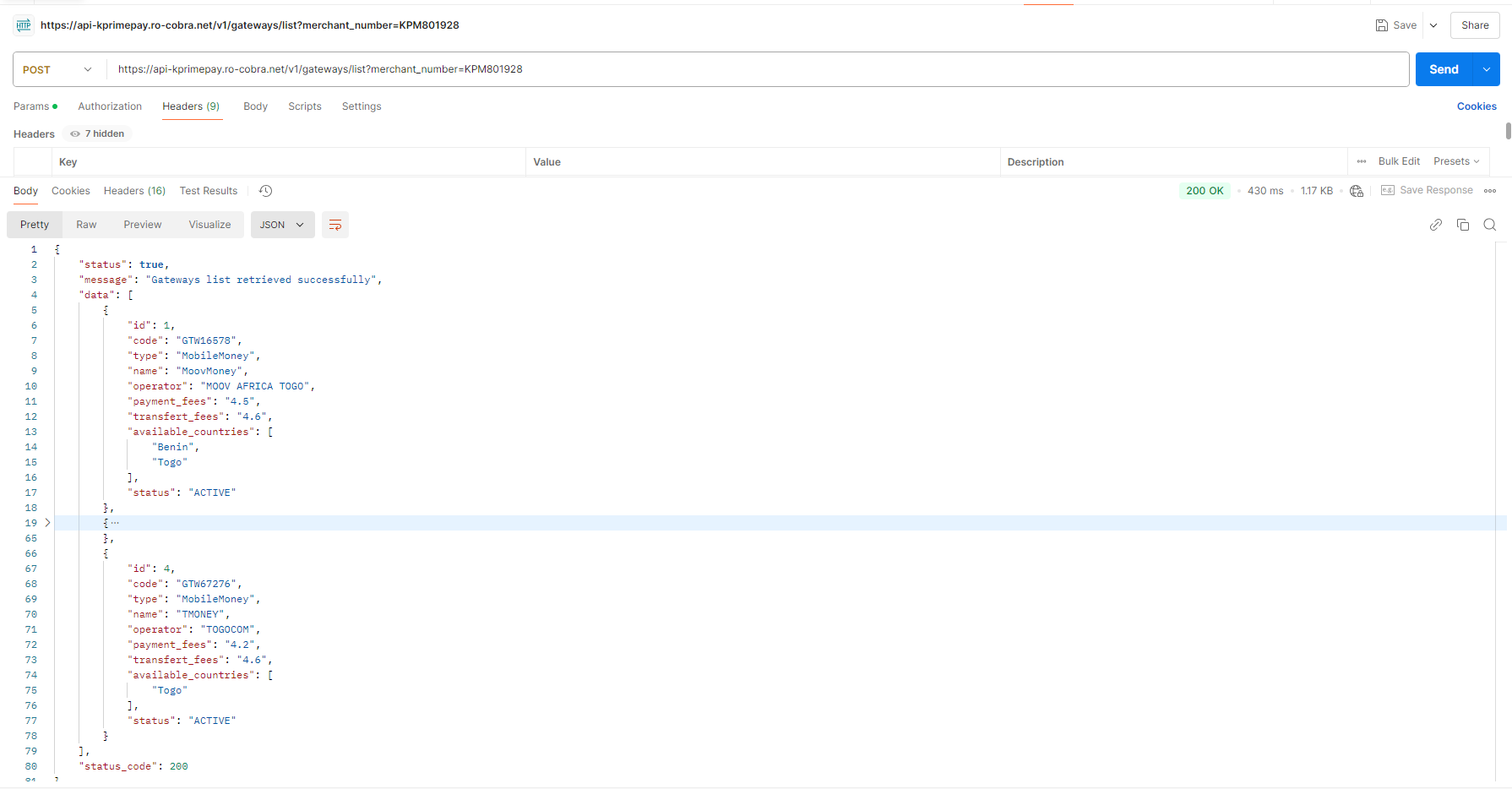
Gateways-country
Endpoint : https://api.kprimepay.com/v1/gateways/country
Header parameters
| Key | Value | Description | Priority |
|---|---|---|---|
| auth_token | Secret Key | This must be your merchant Secret Key | Required |
| Content-Type | application/json | application/json | Required |
It will return false if your token is invalid or missing from the header :
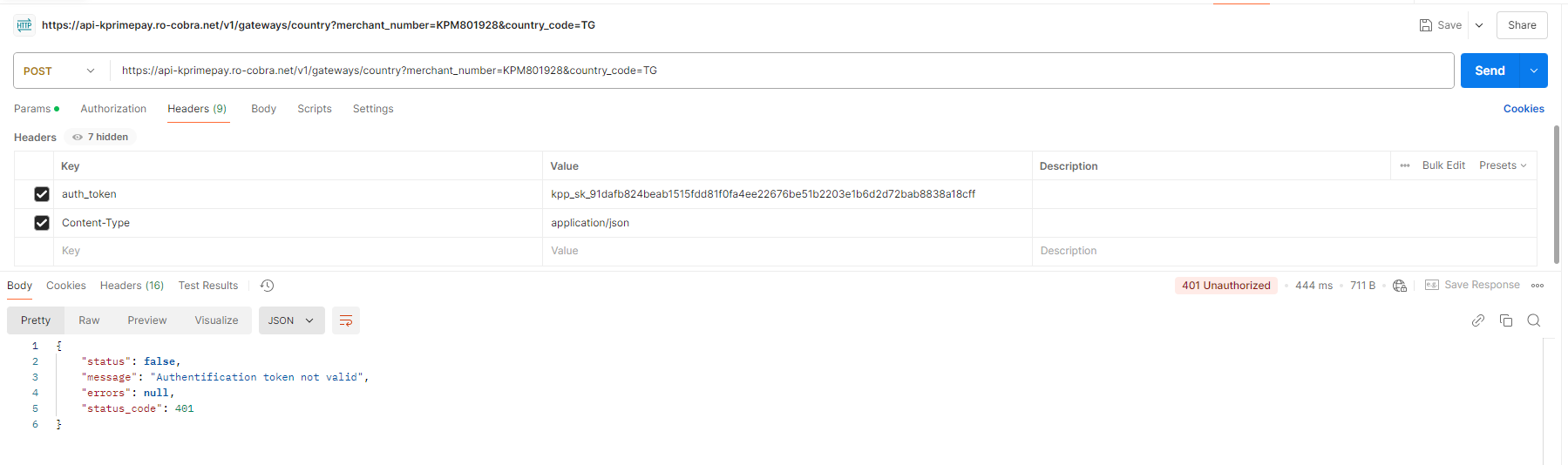
Params
| Key | Value | Description | Priority |
|---|---|---|---|
| merchant_number | Your merchant number | The unique identifier assigned to your merchant account | Required |
| country_code | Country code | The country code for gateways country (e.g., TG for Togo) | Required |
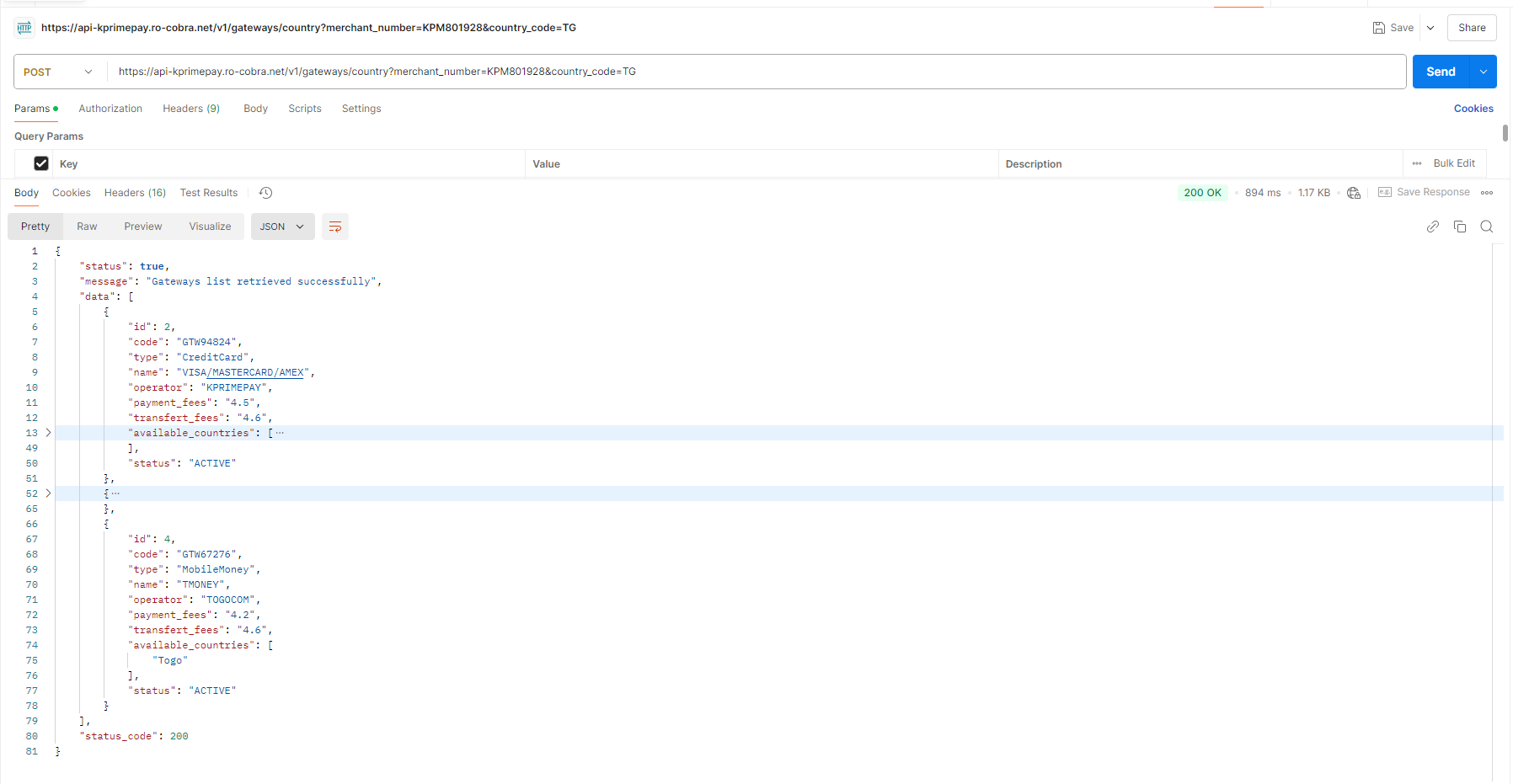
If all parameters are well set and any error provided: the server will return json response of all gateways *
Gateways details
Endpoint : https://api.kprimepay.com/v1/gateways/details
Header parameters
| Key | Value | Description | Priority |
|---|---|---|---|
| auth_token | Secret Key | This must be your merchant Secret Key | Required |
| Content-Type | application/json | application/json | Required |
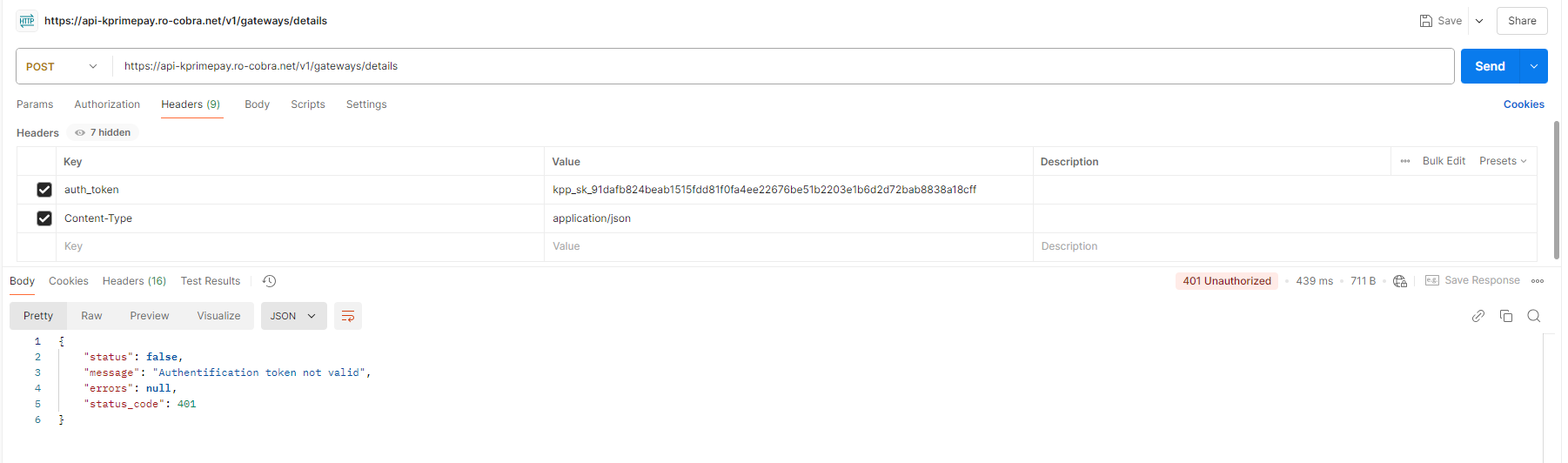
It will return false if your token is invalid or missing from the header :
Params
| Key | Value | Description | Priority |
|---|---|---|---|
| merchant_number | Your merchant number | The unique identifier assigned to your merchant account | Required |
| gateway_name | MIXX-YAS-TG, MOOV-MONEY-TG | The payment gateway to use (e.g., MIXX-YAS-TG, MOOV-MONEY-TG) | Required |
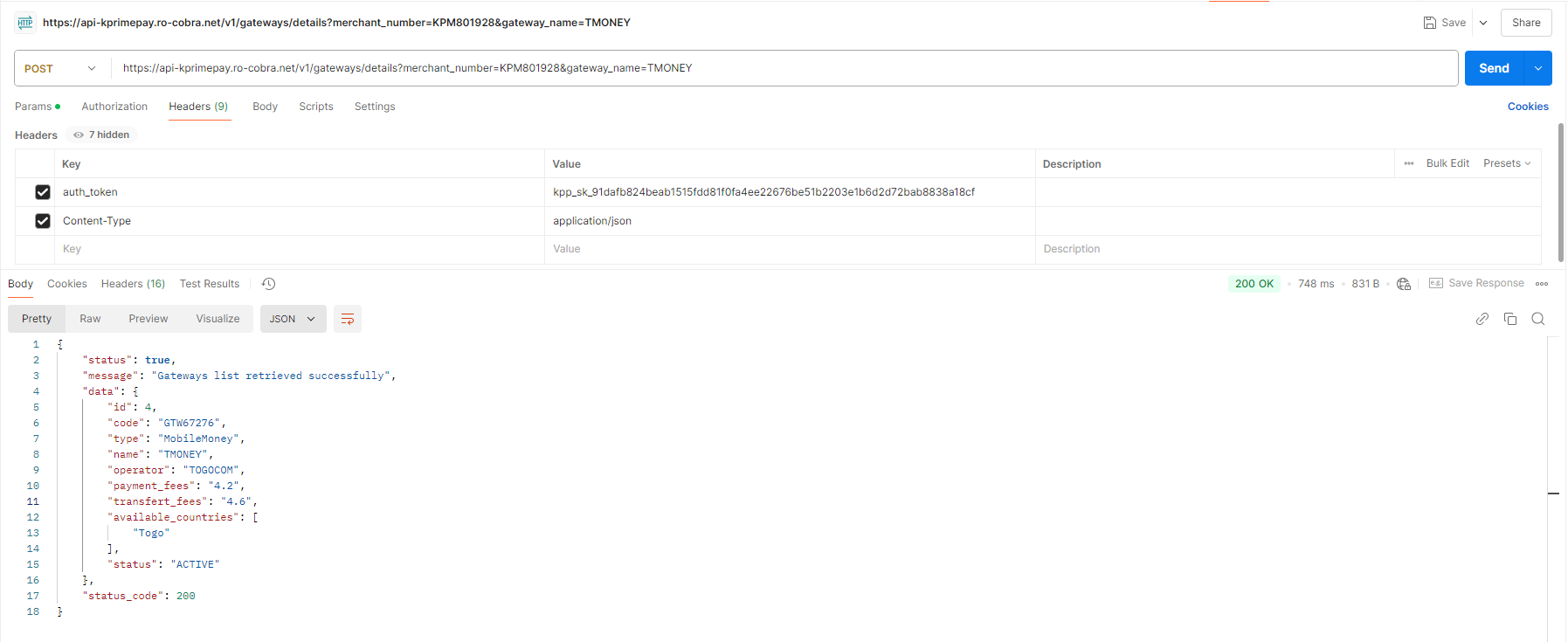
If all parameters are well set and any error provided: the server will return json response of the gateway details*
Functionality
Welcome to this section, where you can explore all the available features. Here, you’ll find tools to manage your operations efficiently, customize settings, and unlock a variety of powerful capabilities to enhance your experience.
PayLink Using
Welcome to the section where you can efficiently manage your payment links. On this page, you have the ability to create new payment links for your transactions, modify them as needed, needs.
Creating a Payment Link
Creating a payment link is a straightforward process that allows you to generate a unique URL for your transactions. After entering the relevant details such as the amount, description, and the customer's email address, a custom link is automatically generated and sent directly to the recipient via email. This link enables your customer to complete the payment securely. This method ensures a smooth and convenient payment management process while providing a secure experience for your customers.
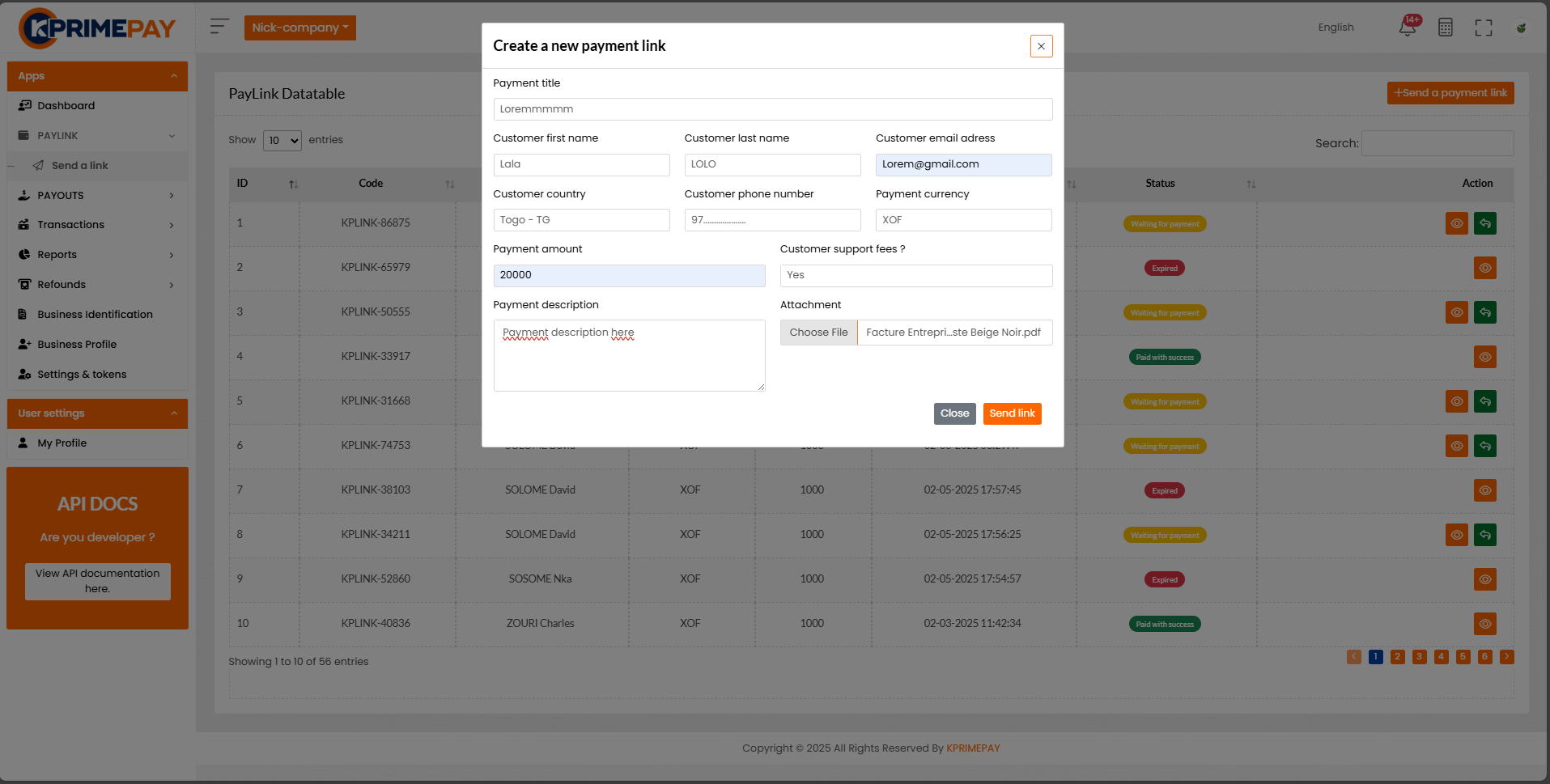
This is how the creation form appears. You will find the necessary fields to enter payment details and options to customize your link.


You can also choose to attach a file with the payment link if needed. This feature allows you to include additional documents or information relevant to the payment. If no attachment is required, simply proceed without adding a file.
Accessing the Payment Link
Once the payment link is created, it will be automatically sent to the recipient's email address. To access the payment page, the recipient simply needs to click on the button. This process directs the customer to a secure page where they can complete the payment. Ensure that the entered email address is correct so that the link is sent without issue.
Here is the link you need :
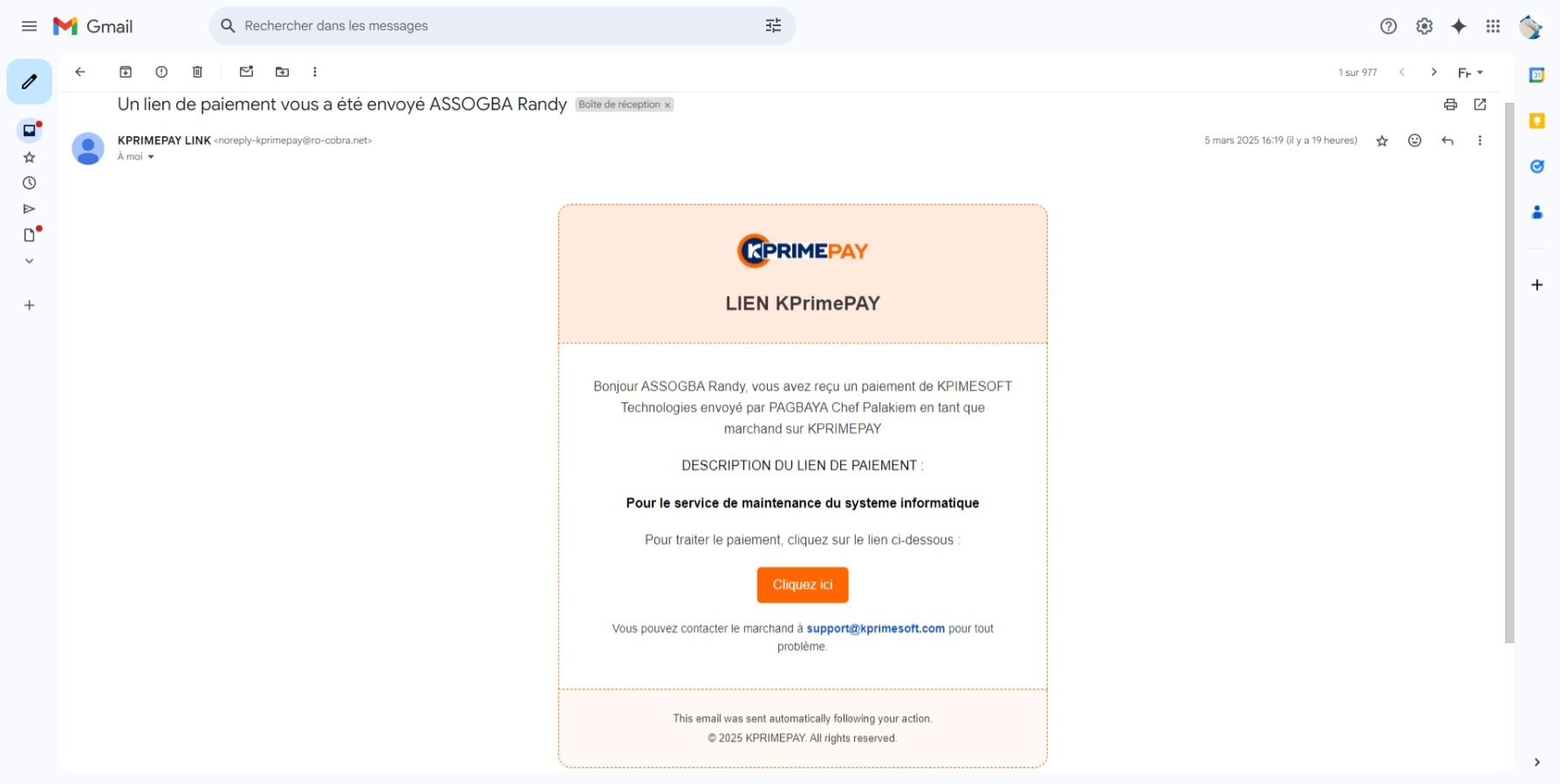
Payment Page
After clicking the button in the email you received, you will be redirected to a secure payment page. This page provides a detailed overview of your order, including the total amount due. Here, you can review all the details before completing your payment. Ensure that everything is correct, then proceed with the payment to finalize your order.
Here is the page:
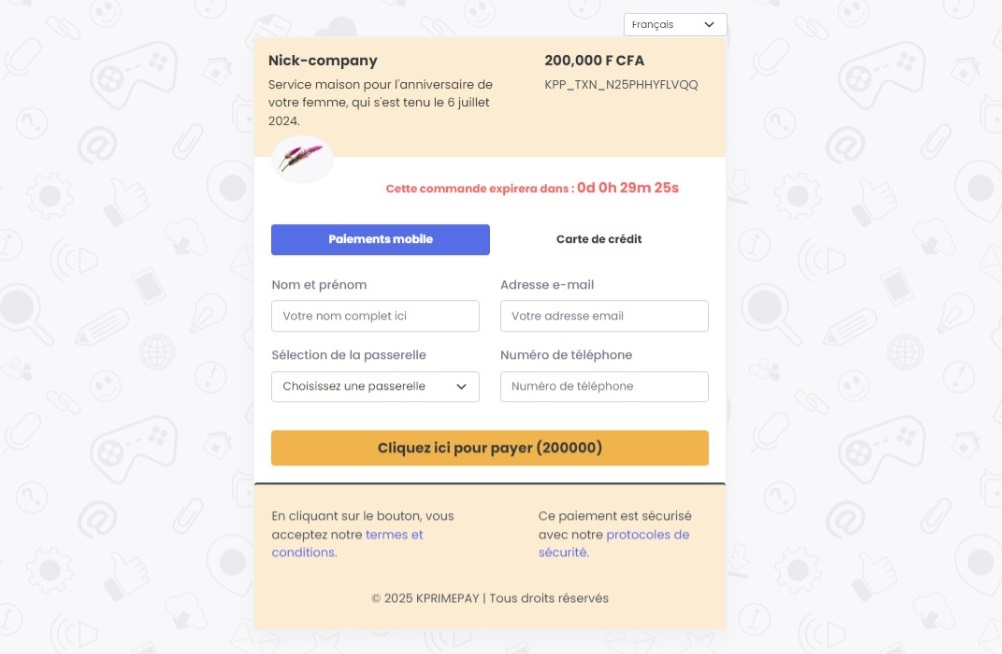
NB: If your payment is not completed within the required time, it will expire.
Operator selection: Visa card
Here is the page:
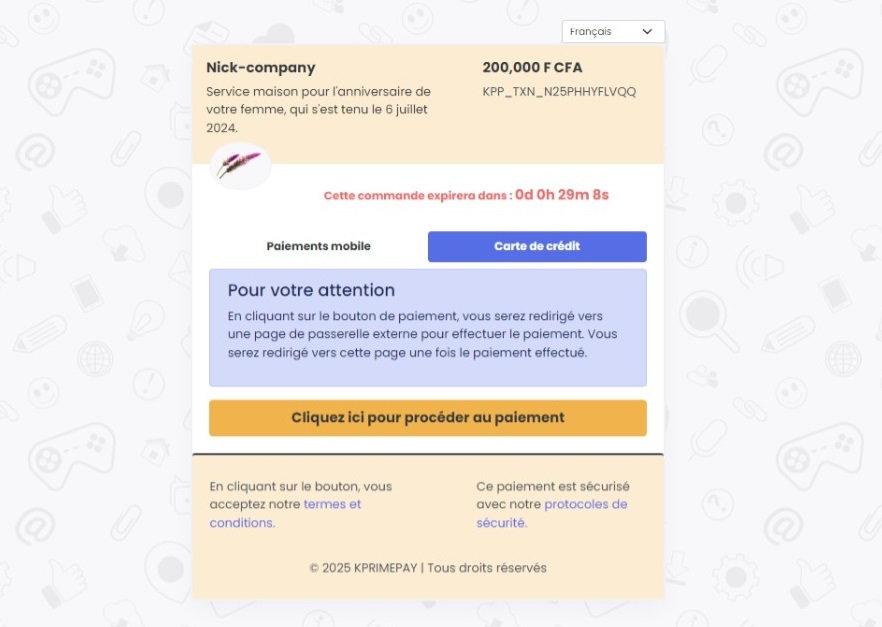
Final information to fill in to proceed with card payment:
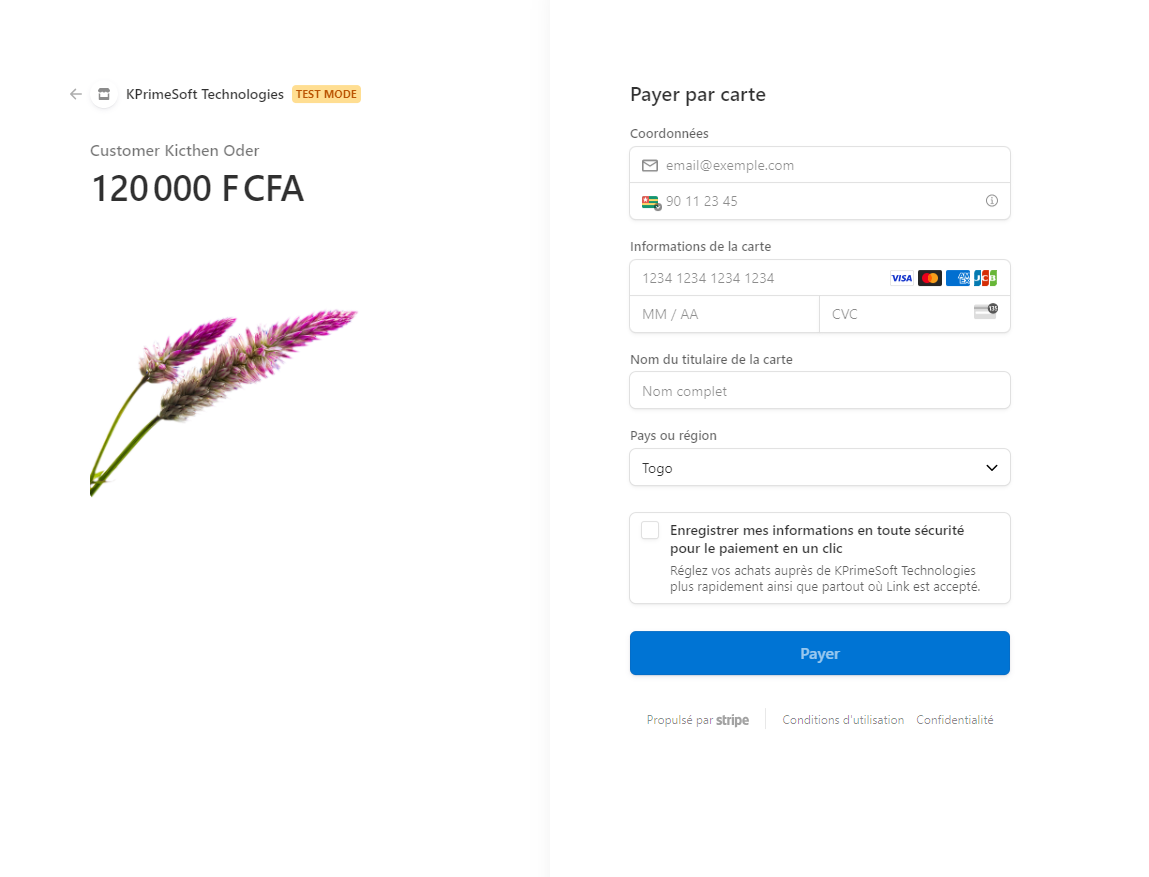
If you complete the payment process, a message confirming the success of the transaction will appear.
Operator selection: Mobile Payment
Here is the page:

NB: Once you select a payment gateway, the fees will be calculated automatically.
Process in progress:
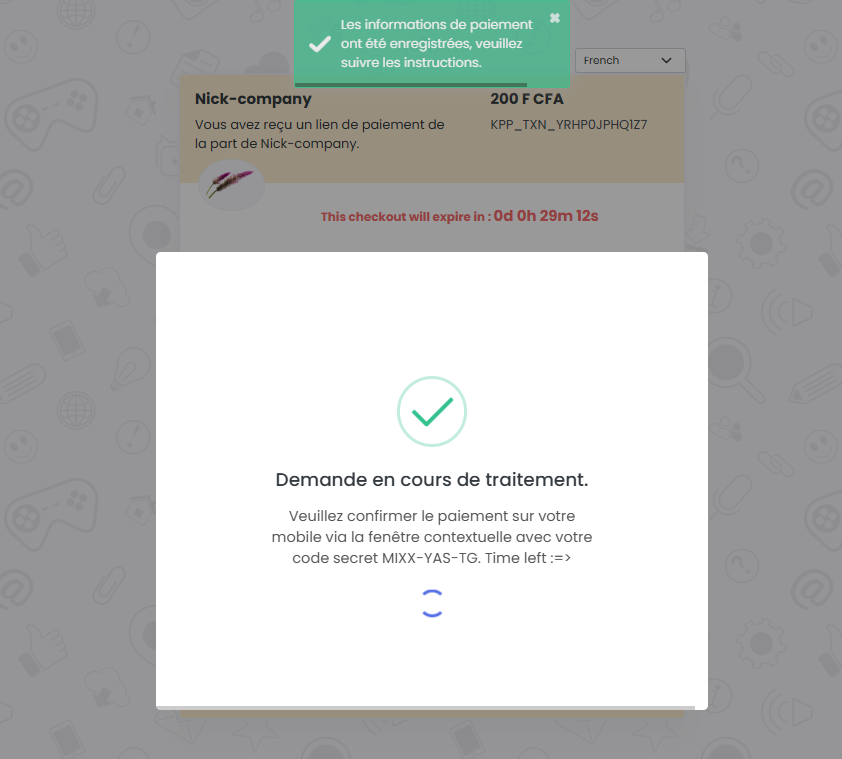
NB: If you do not have the required amount, you will not be able to complete the payment.
Payment not completed on time:
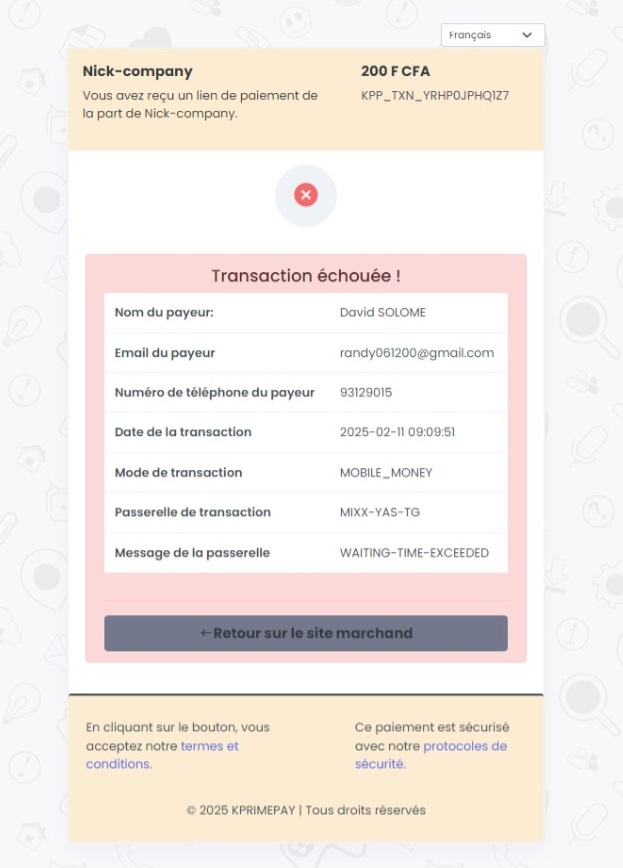
Transfer
Welcome to this section that introduces you to single transfers and multiple transfers. You can efficiently manage your transfers and tailor them to your needs.
Create a single payout
Creating a single transfer is a simple process that allows you to efficiently manage your transactions. By entering the necessary details, such as the amount, description, and recipient's information, you can initiate a secure and streamlined transfer. This method ensures smooth and optimized transfer management.
This is how the creation form appears. You will find the necessary fields to enter payment details and options to customize your transfert.

Once the transfer has been successfully completed, you will see a confirmation popup, and a confirmation code will be sent to your email. If the popup disappears, a green button will allow you to bring it back.
Create multiple payouts
Creating multiple transfers is a simple process that allows you to efficiently manage several transactions at once. By entering the necessary details, such as the amounts, descriptions, and recipients' information, you can initiate secure and streamlined transfers for multiple recipients. This method ensures smooth and optimized transfer management.
This is how the creation form for multiple transfers appears. You will find the necessary fields to enter payment details and options to customize your transfers.

Once the transfers have been successfully initiated, a confirmation popup will appear, similar to the one for a single payout, and a confirmation code will be sent to your email. If the popup disappears, you can click a green button to bring it back.
Gateways list
Gateways payment
It is possible to receive money payments(PayIn) through our platform from various points. Below, you will find the list of our mobile operators facilitating your money transfers.
| Gateways name | Operator name | Gateways fees | Status |
|---|---|---|---|
| VISA/MASTERCARD/AMEX | KPRIMEPAY SERVICES | 4.5% | Active |
| MOOV-MONEY-TG | MOOV AFRICA TOGO | 3.0% | Active |
| MIXX-YAS-TG | YAS TOGO | 4.5% | Active |
Gateways transfert
It is possible to make money transfers(PayOut) through our platform to various locations. Below, you will find the list of our mobile operators facilitating your transactions.
| Gateways name | Operator name | Gateways fees | Status |
|---|---|---|---|
| MOOV-MONEY-TG | MOOV AFRICA TOGO | 3.0% | Actif |
| MIXX-YAS-TG | YAS TOGO | 3.0% | Actif |
User management
The User Management module allows administrators to create, update, assign roles, and manage access permissions for platform users. It ensures secure and structured control over who can access and perform specific actions within the KPRIMEPAY merchant dashboard.
RBAC settings
RBAC (Role-Based Access Control) settings allow you to manage user permissions by assigning specific roles. Each role defines what actions a user can perform within the merchant platform, enhancing security and access control.
Table of roles and permissions :
| Role | Permission name | Permission description | ||||||||||||||||||||||||||||||||||
|---|---|---|---|---|---|---|---|---|---|---|---|---|---|---|---|---|---|---|---|---|---|---|---|---|---|---|---|---|---|---|---|---|---|---|---|---|
| DEVELOPER_ACCESS |
|
|
||||||||||||||||||||||||||||||||||
| FINANCIAL_ACCESS |
|
|
||||||||||||||||||||||||||||||||||
| MANAGER_ACCESS |
|
|
||||||||||||||||||||||||||||||||||
| SUPER_ADMIN_ACCESS |
|
|
User interface
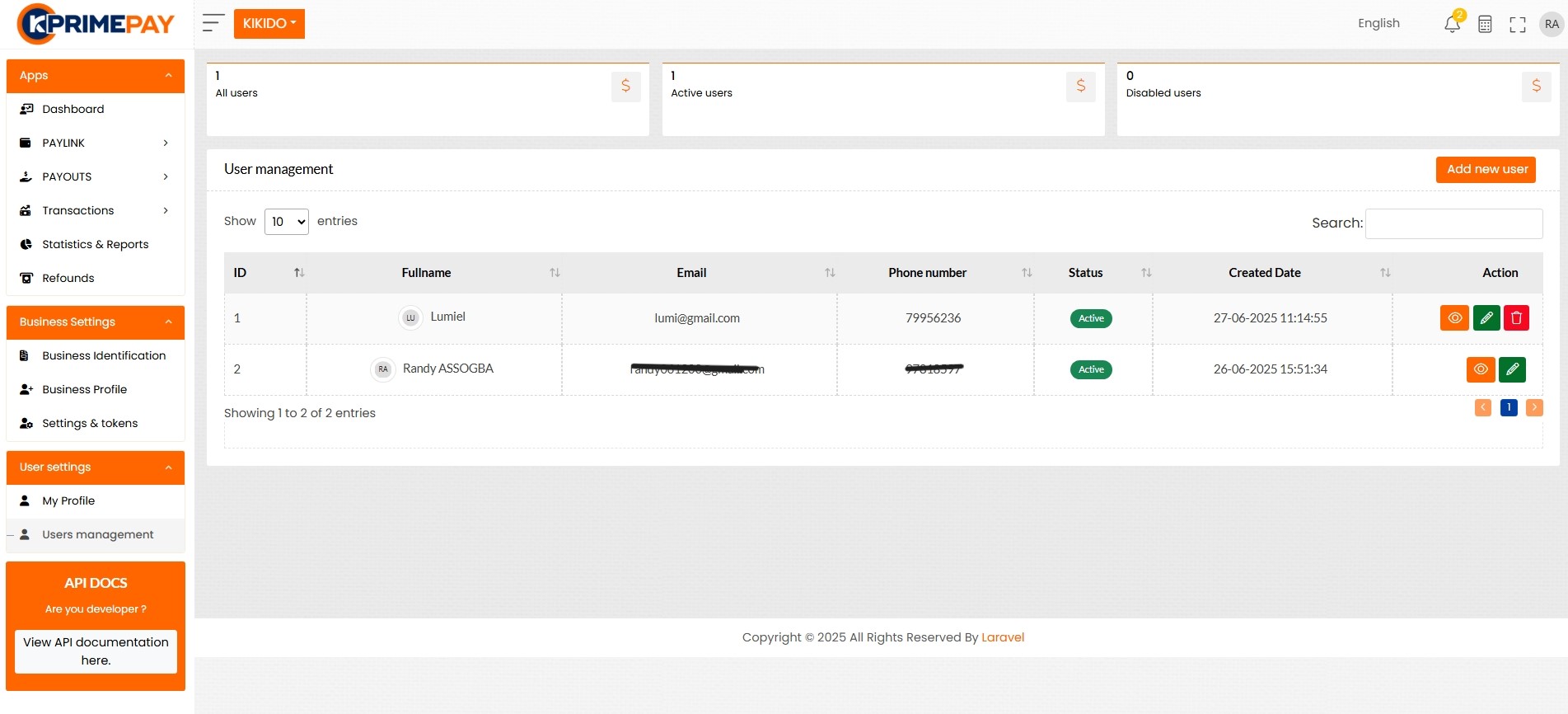
The user interface allows merchants to create new users and assign them specific roles using a simple and secure interface. This section provides access to role-based settings, ensuring that each user has the appropriate permissions within the platform.
List of all users :

Create a new user :
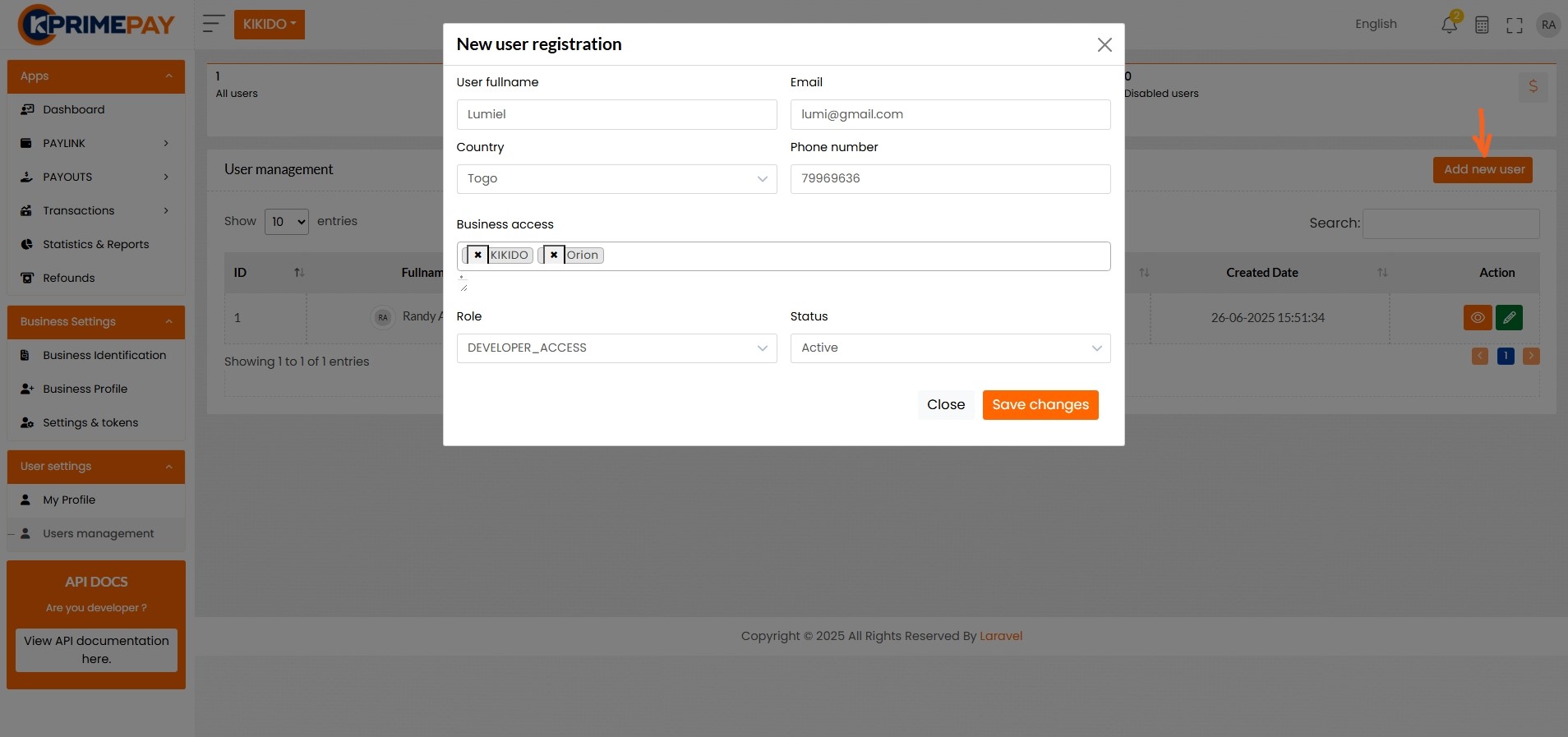
List of all users :
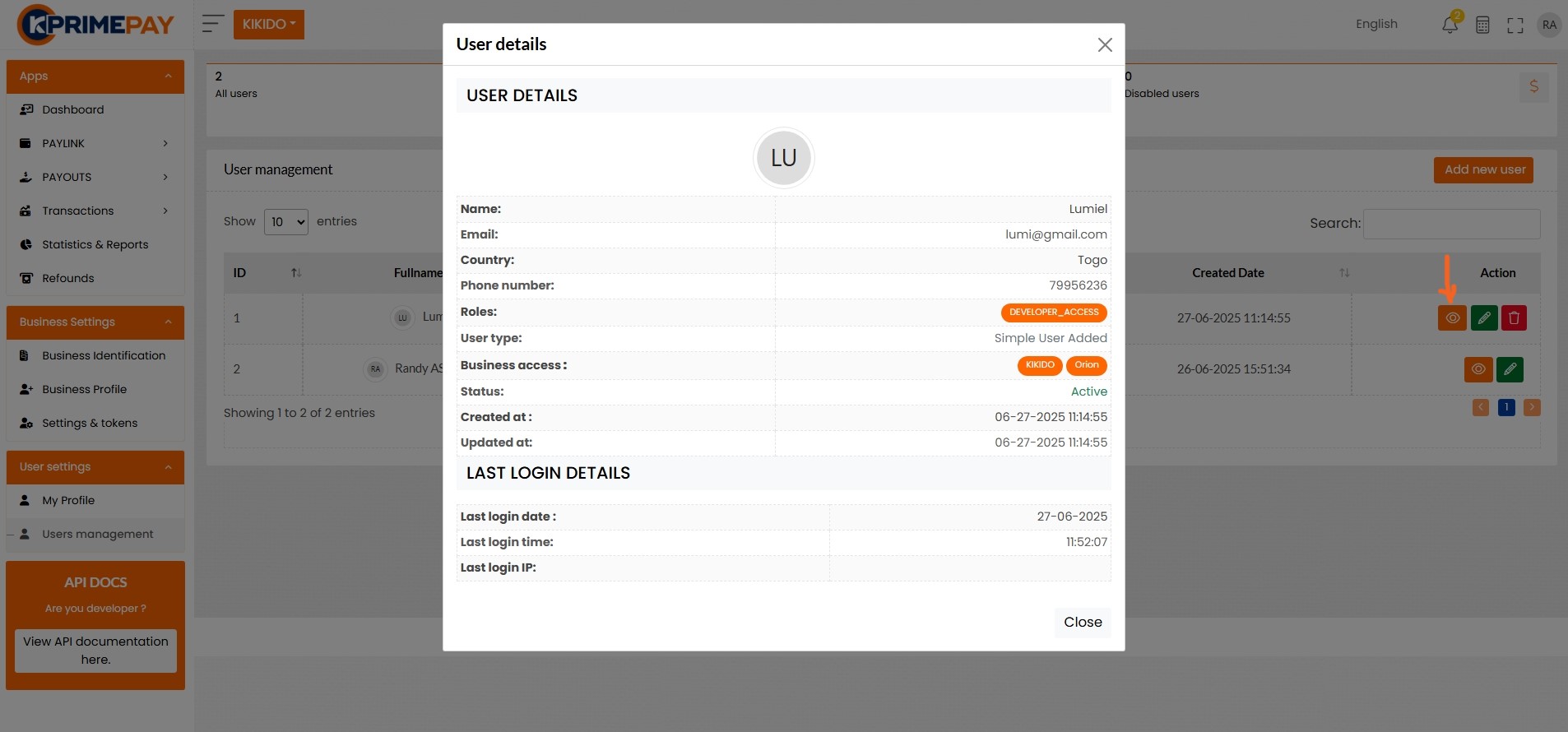
Details of a user :
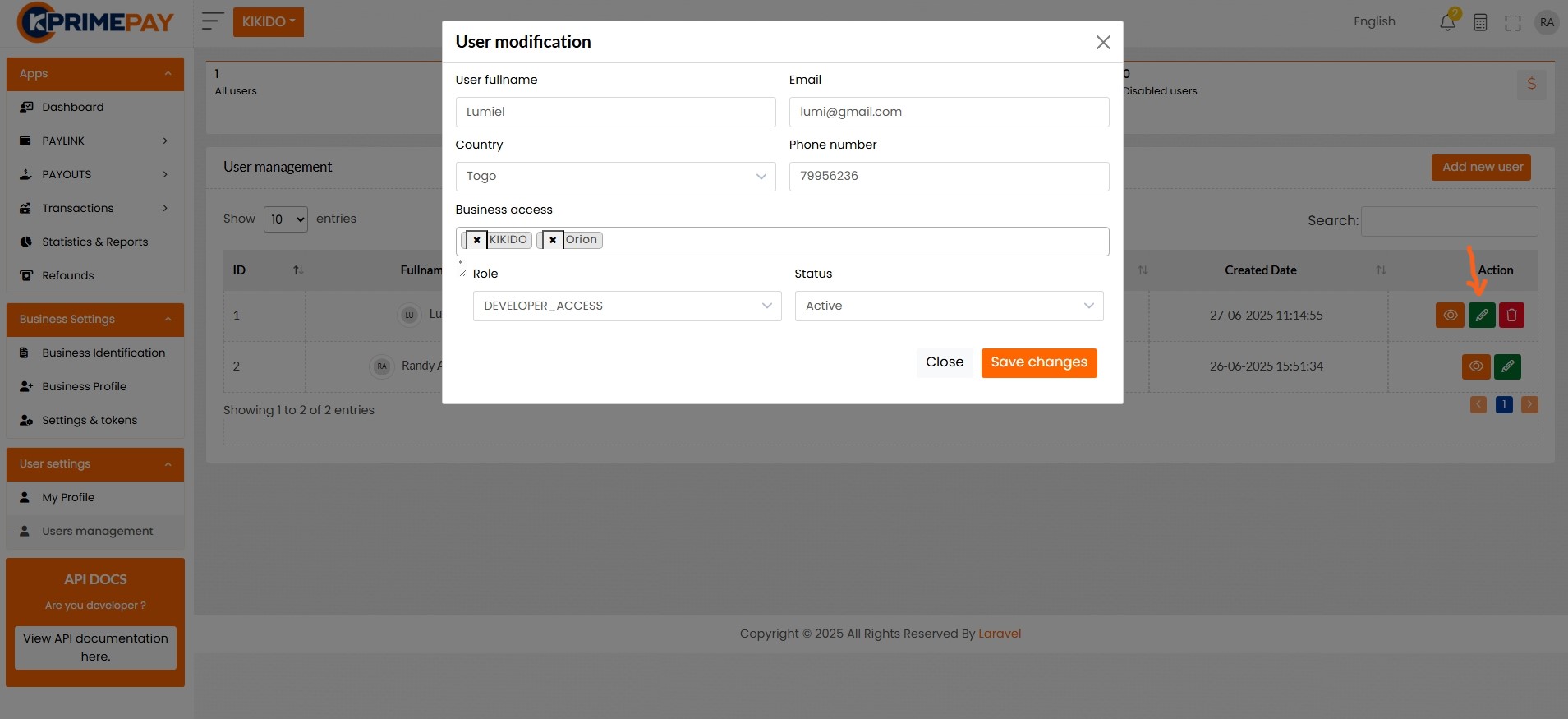
Update of an user :
RAP transactions
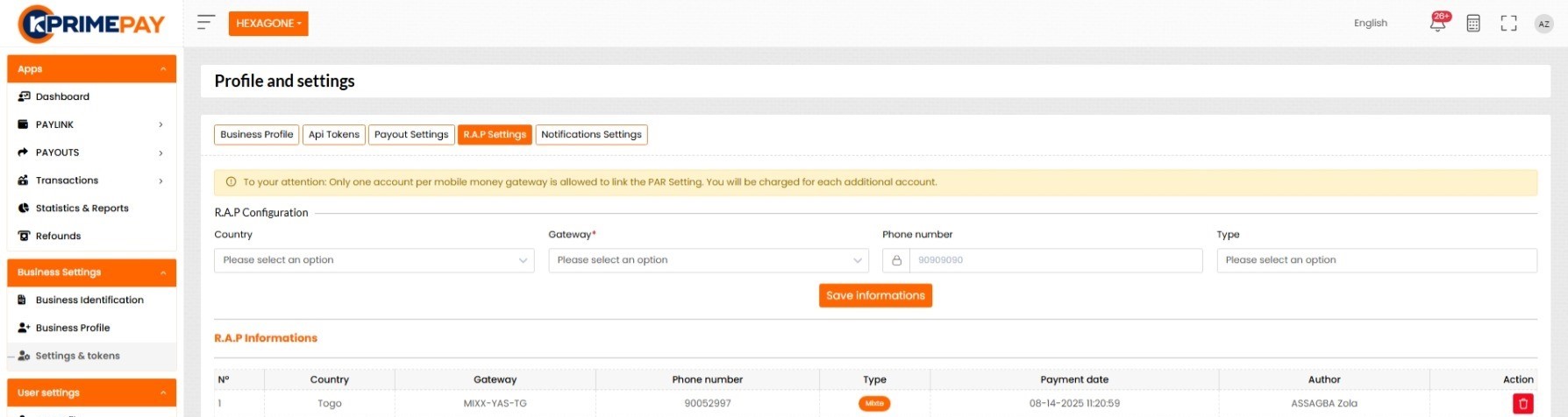
RAP (Redistribution After payement) It is a solution established to allow a merchant to receive their money directly after a client’s payment, using the number they assigned in the RAP information.
Some views of this interface :